Vacation board
Ask for annual vacation by week, see your place on the waitlist, and approve requests against the weekly cap.
For staffFor managers
- Published
- Updated
- Screenshots
How it works
The vacation board replaces the yearly vacation sheet. Each staff group (Day RN, Day LVN, NOC RN, NOC LVN, Day CNA, NOC CNA, Unit secretary) has a cap of shifts off per week, default 6. Requests over the cap go on a waitlist ordered by seniority, then who asked first.
| Request | Means |
|---|---|
| Full week | Your appointed shifts that week (usually 3) |
| Partial week | Some of your shifts that week |
| 1 shift | One chosen day |
For staff
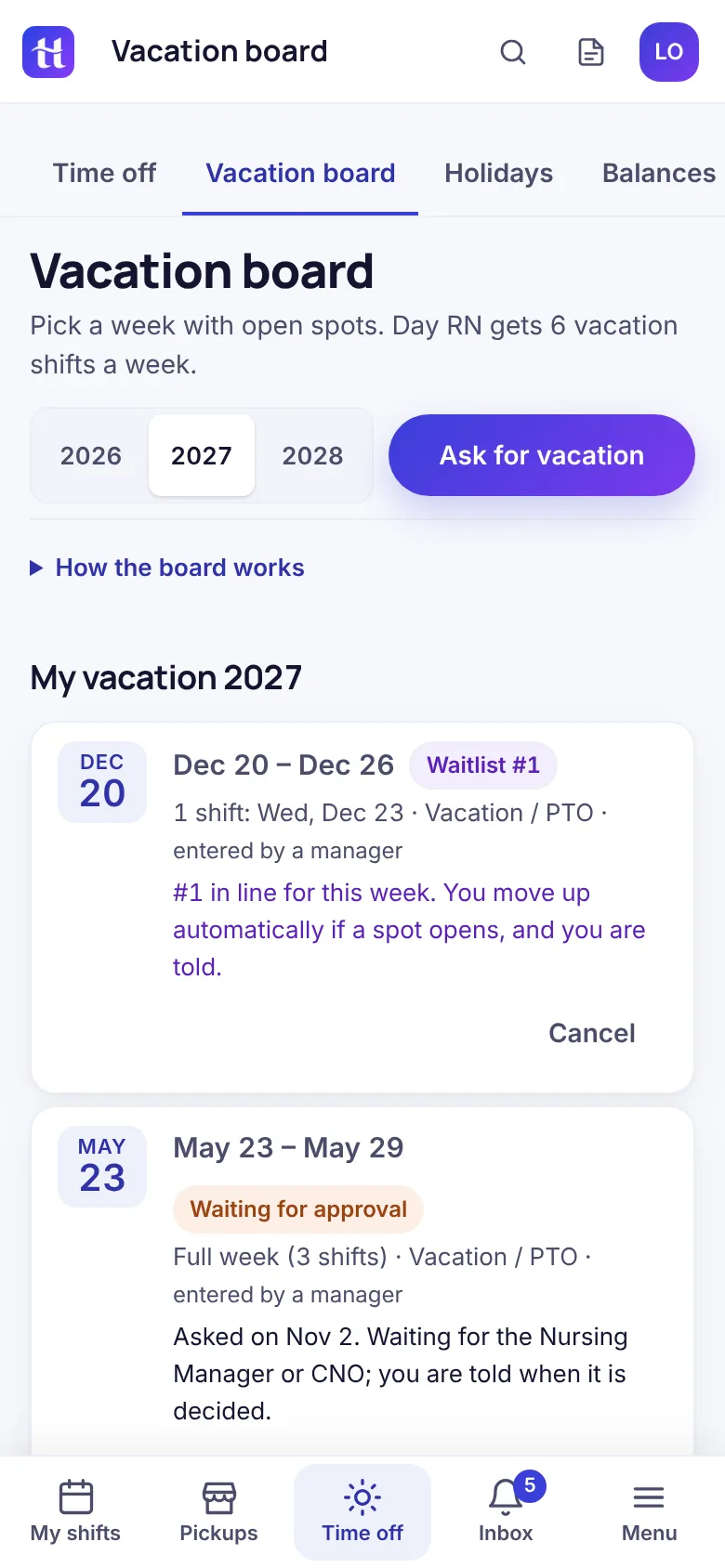
- Tap Ask for vacation, pick the week and what to pay it with (Vacation/PTO, Holiday, Professional leave, Without pay).
- Status reads Waiting for approval if the week has room, or Waitlist #n.
- If someone ahead cancels, the waitlist moves up and you are told.
- Cancel in the app; your manager is told.
For managers
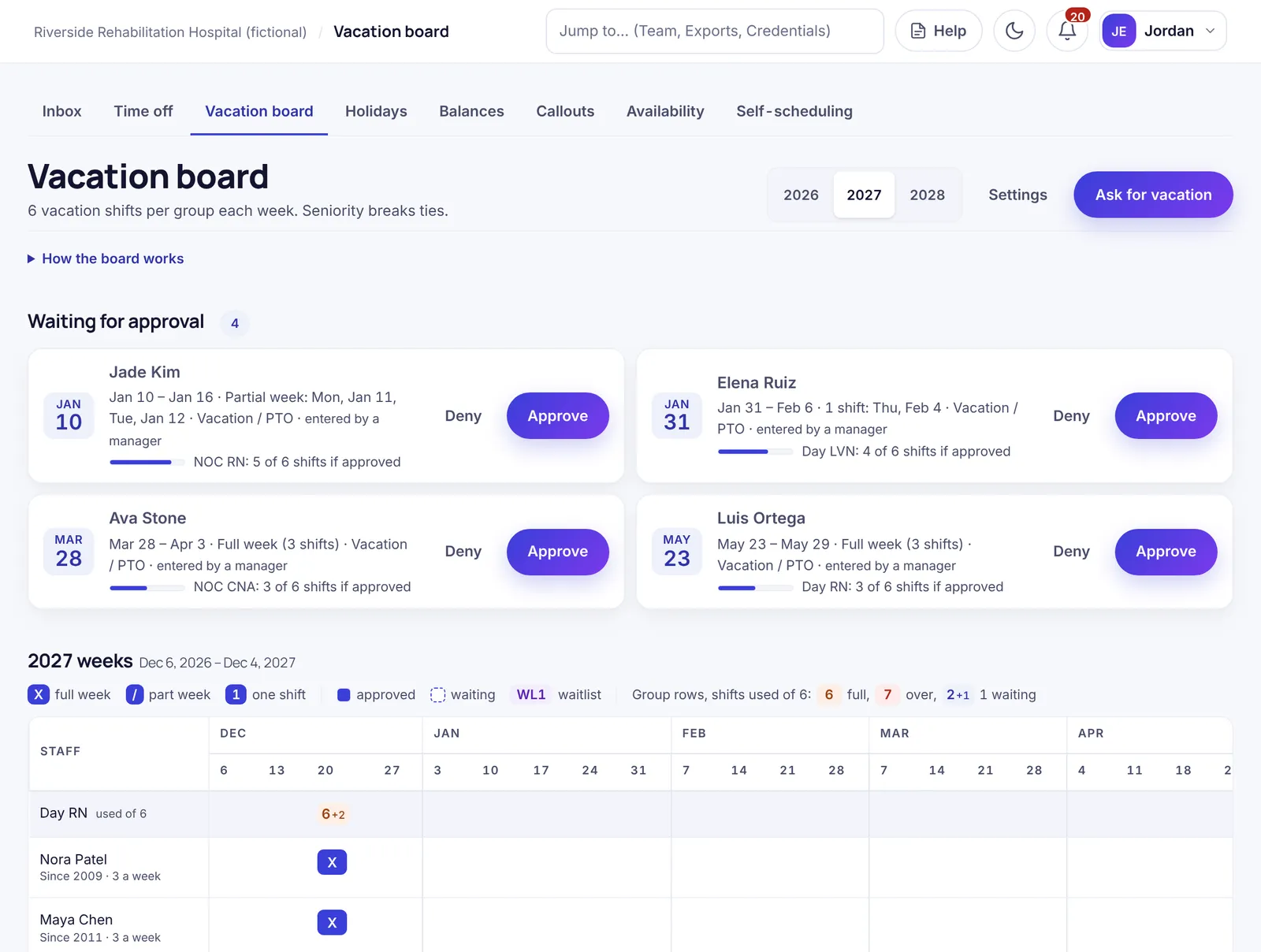
- Approve or deny. Approving a waitlisted request goes over the cap and needs a note.
- Approval writes approved, coded time off; shifts already published stay until you change them, and the message says how many.
- Change the cap per group under Settings on the board.
Related
Screenshots come from a fictional demo hospital, so names and numbers will differ from yours. Something here out of date or unclear? Email support@attuneops.net.