Credentials and competencies
Track licenses, BLS, ACLS and annual competencies by job role, review uploaded cards, and see which lapses block shifts.
- Published
- Updated
- Screenshots
For staff: keep your cards current
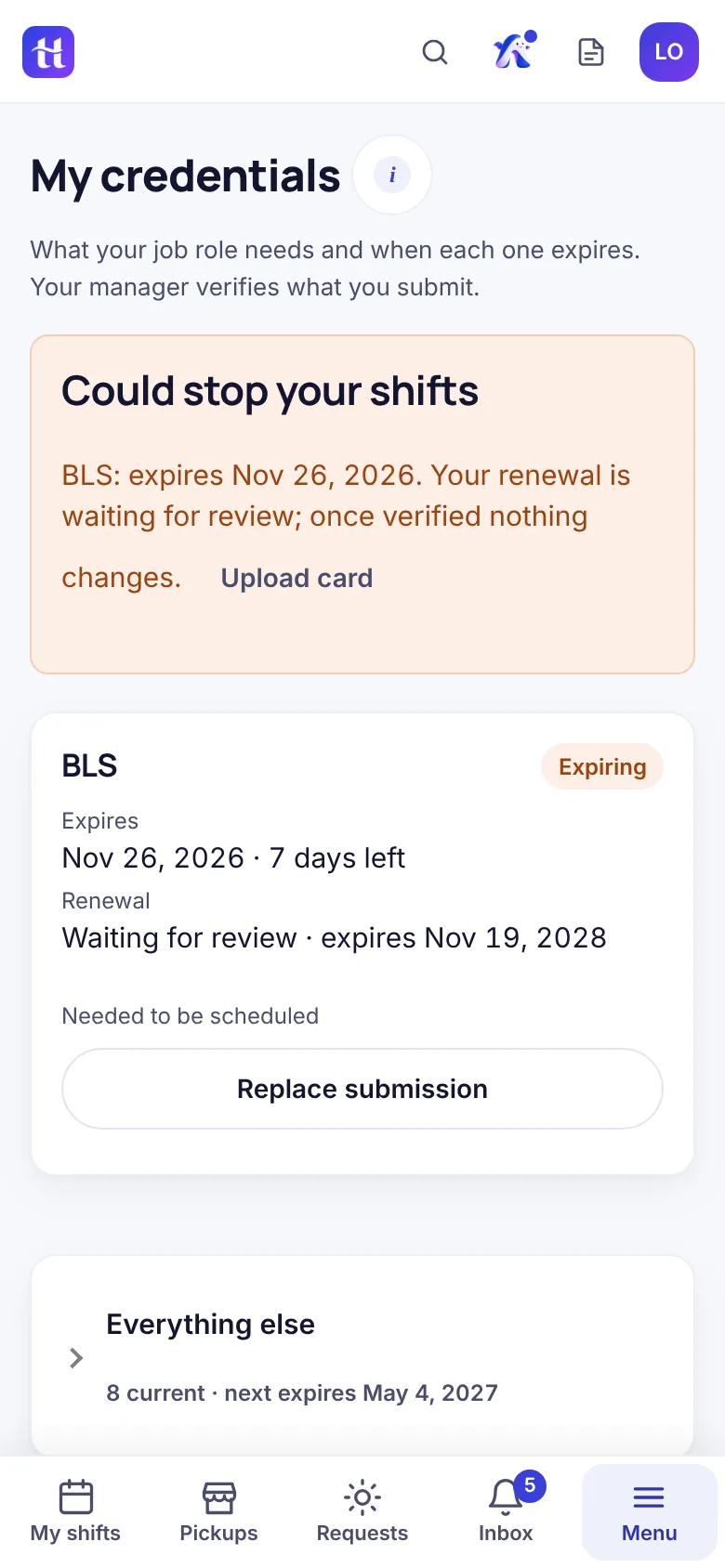
Open My infoMy credentials (menu path)
Could stop your shifts lists anything lapsed or about to lapse that blocks scheduling.
Tap Renew or Upload card
Take a photo of the new card and enter the expiry date.
Wait for review
Your manager verifies it. Until then the old dates count.
Reminders go out 90, 60, 30 and 7 days before a card expires, and on the day it lapses.
For managers
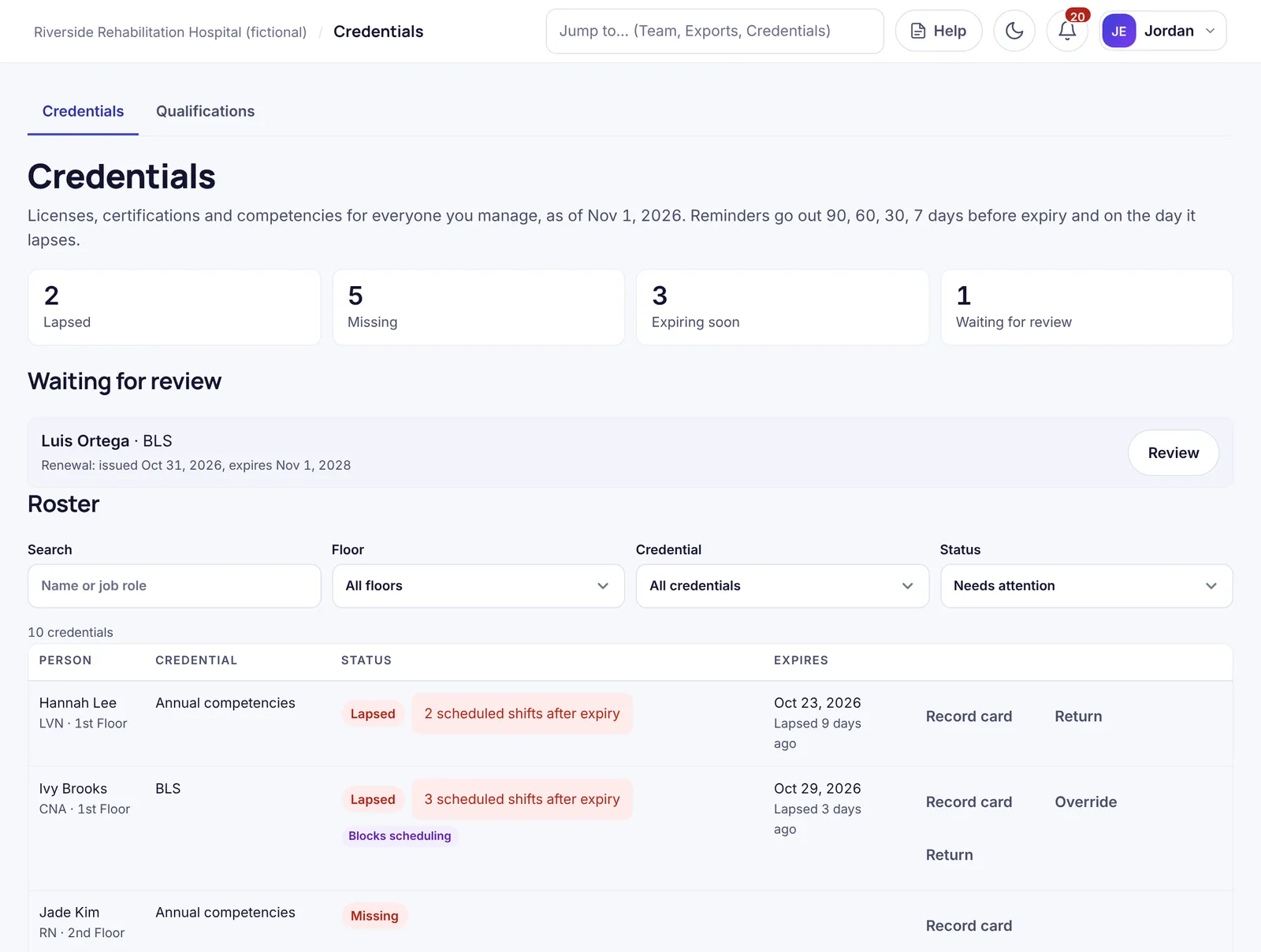
- The counts at the top: Lapsed, Missing, Expiring soon, Waiting for review.
- Review an uploaded card to verify or return it.
- Record card enters a card you have on paper.
- Override lets one person keep working past a lapse, with a reason that is kept.
| Credential | Blocks shifts? |
|---|---|
| RN or LVN license, CNA certificate | Yes |
| BLS | Yes |
| ACLS, annual competencies and others | Warns; set per type |
| Missing card | Blocks after the grace date |
Credential types sets, per type, the job roles that need it, renewal months, reminder lead times and whether it blocks. Add standard nursing credentials creates the usual set.
Related
Screenshots come from a fictional demo hospital, so names and numbers will differ from yours. Something here out of date or unclear? Email support@attuneops.net.