Low census and leave codes
Send staff home for low census by volunteers then rotation, and code shifts and time off so timekeepers key the right hours.
For charge nursesFor managers
- Published
- Updated
- Screenshots
Low census (VLOA and MLOA)
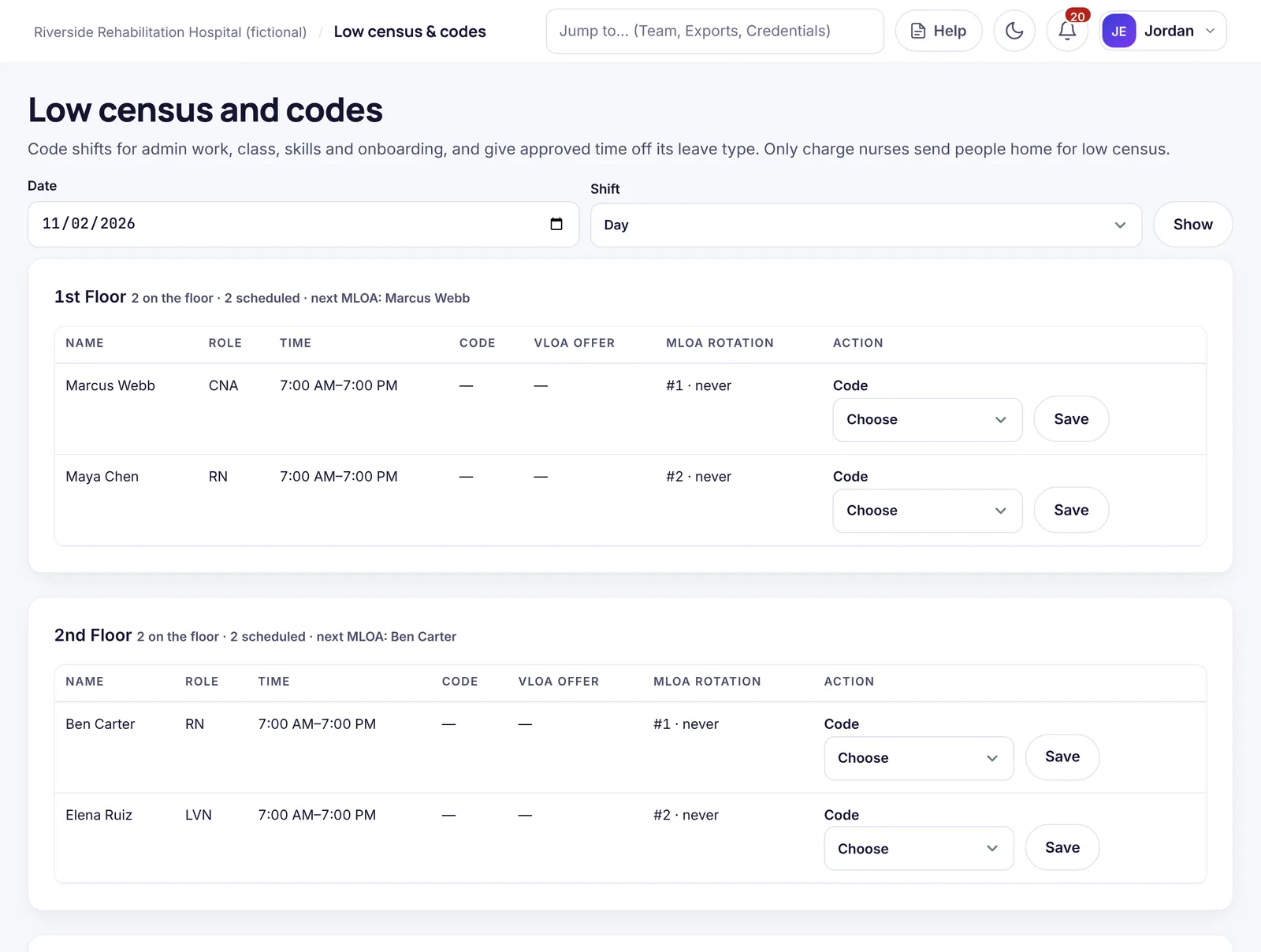
Pick the date and shift
Each floor lists who is scheduled, with the MLOA rotation order (who was sent home least recently is next).
Ask for volunteers first
Code a volunteer VLOA. They can choose to use PTO.
If nobody volunteers, use the rotation
Code the next person MLOA.
Only charge nurses send people home for low census.
Leave and pay codes
Managers code worked time that is not on the floor, and approved time off, so the timekeeper export shows the code to enter in UKG or EcoTime.
| Code | Meaning | Counts as worked |
|---|---|---|
| ADMIN, SKILLS | Admin work, skills day | Yes |
| GHO, OI8, 7AO / 7PO | Orientation and onboarding | Yes |
| CLASS | In school or clinicals | No |
| VLOA / MLOA | Voluntary / mandatory low census | No |
| V/PTO, SICK, KIN CARE, BL, PL, H | Vacation, sick, kin care, bereavement, professional leave, holiday | No |
| FMLA, LOA | Protected leave, leave of absence | No (excused) |
Related
Staffing sheetOne screen per date and shift for the whole building: census, ratio, core staffing, floats, sitters, callouts and open shifts, with a signed copy.Exports and the timekeeper sheetPrint or download the schedule, export your own shifts, and give timekeepers the hours to key into UKG and EcoTime each pay period.Time-off balancesPTO, sick, holiday and professional leave left by pay period, and how managers import balances from UKG or EcoTime.
Screenshots come from a fictional demo hospital, so names and numbers will differ from yours. Something here out of date or unclear? Email support@attuneops.net.