Roles and access levels
Why a job role and an access level are different, and what Staff, Charge, Unit clerk, managers, Chief of Nursing Operations and Admin can each do.
- Published
- Updated
- Screenshots
Job role vs access level
Every person has a job role (RN, LVN, CNA, Unit Secretary, PT, OT…) and an access level. The job role drives scheduling: which shifts they can work, ratio counts and commitments. The access level decides what they can open and change in the app. A job role never grants or removes permissions.
The levels
| Level | Typical person | Can |
|---|---|---|
| Staff | Nurses, CNAs, therapists | Their own shifts, pickups, trades, time off, credentials, pay estimate |
| Charge | Charge nurses | Staff, plus the staffing sheet, census, floats, breaks, assignments, huddle and recording callouts. Charge with no floor sees the whole building |
| Unit clerk | Unit secretaries | Staff, plus their floor's schedule (view), break start and end, recording phoned-in callouts and the supply queue |
| Nursing Manager | Nursing Managers, Therapy Manager | Manager view for their floors: schedule, coverage, approvals, reports |
| Staffing office | Staffing coordinators | Manager view for every floor |
| Chief of Nursing Operations | The CNO | Full control, same as Admin |
| Admin | Workspace owner | Everything, including access levels, billing and settings |
Central supply is an add-on, not a level. A manager adds it on the Supplies page; it adds no schedule or floor powers.
Change someone's access
Open PeopleStaff & access (menu path)
Find the person in the Staff list.
Press Change access
Pick the level and, for floor-limited levels, the floors. The change is recorded in History.
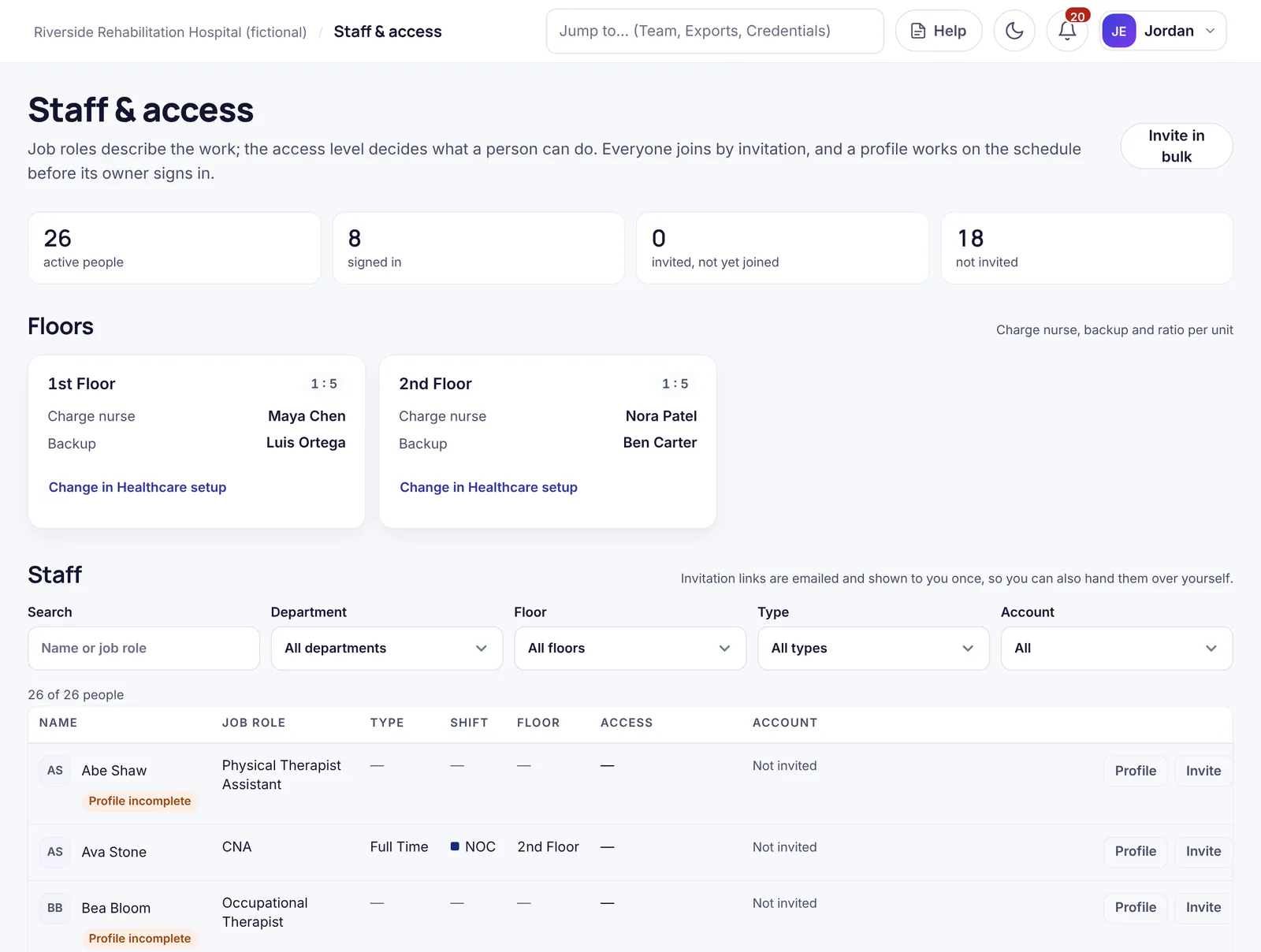
Only Admin and the Chief of Nursing Operations can change access levels. You cannot lower your own access, and the last Admin is always kept.
Who sees what that is private
- Pay rates are seen only by the person themselves.
- Pulse survey answers are confidential; results show only for groups of 5 or more.
- Leave cases (FMLA, CFRA, PDL) are seen by Nursing Managers for their floors, the Chief of Nursing Operations and Admin. Others only see that a person is on leave and when they return.
- Staff never see who called out or who posted a trade.
Related
Screenshots come from a fictional demo hospital, so names and numbers will differ from yours. Something here out of date or unclear? Email support@attuneops.net.