Therapy schedule
Build each patient's therapy day by drag and drop, track minutes toward the program week and Medicare intensity, and let therapists mark sessions from their phone.
- Published
- Updated
- Screenshots
The grid
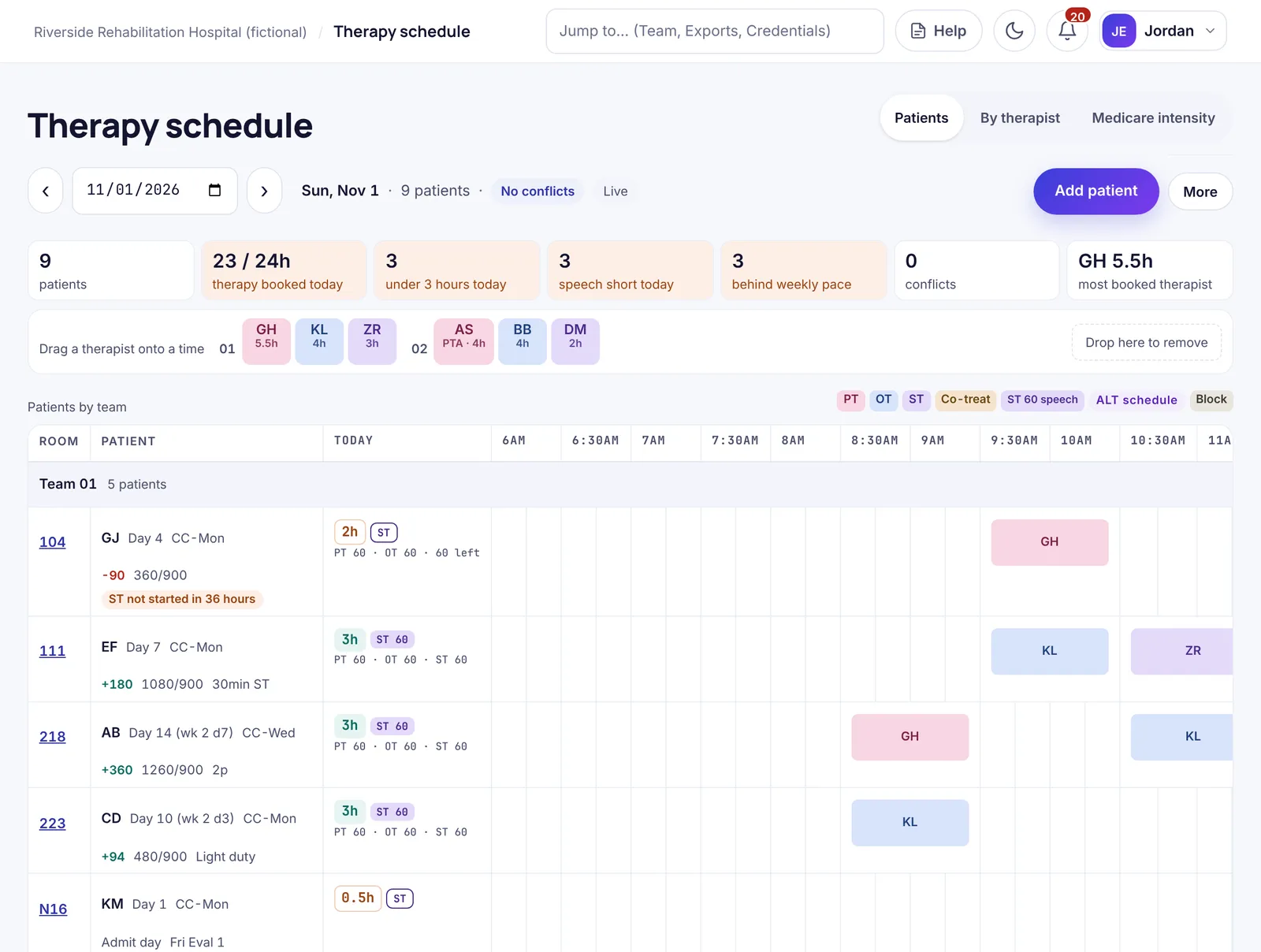
- One row per patient (room, initials, program day), one column per time slot. The summary row shows therapy booked, patients under 3 hours, speech short and behind weekly pace.
- Drag a therapist from the palette into a time slot. Drag a session onto another to make a group or co-treat.
- Each row keeps a running count toward the program week (default 900 minutes) and the pace (+ or − against what is due by today).
- Switch to By therapist to see each therapist's day, or Medicare intensity for the weekly rule.
Build a day
Add patient
Room, initials, admit date, therapies ordered (PT, OT, speech) and any daily or weekly target override.
Book sessions
Drag therapists into slots. A slot note can hold up to 12 characters (such as *Dialysis*). Double booking is outlined.
Reuse a day
Copy a day copies a day's sessions to another date.
Print
Print gives the day's facility schedule.
Team and settings holds the therapy team, the co-treat default and the Medicare counting choice. Missed minutes lists short and missed sessions with reasons.
For therapists: My therapy day
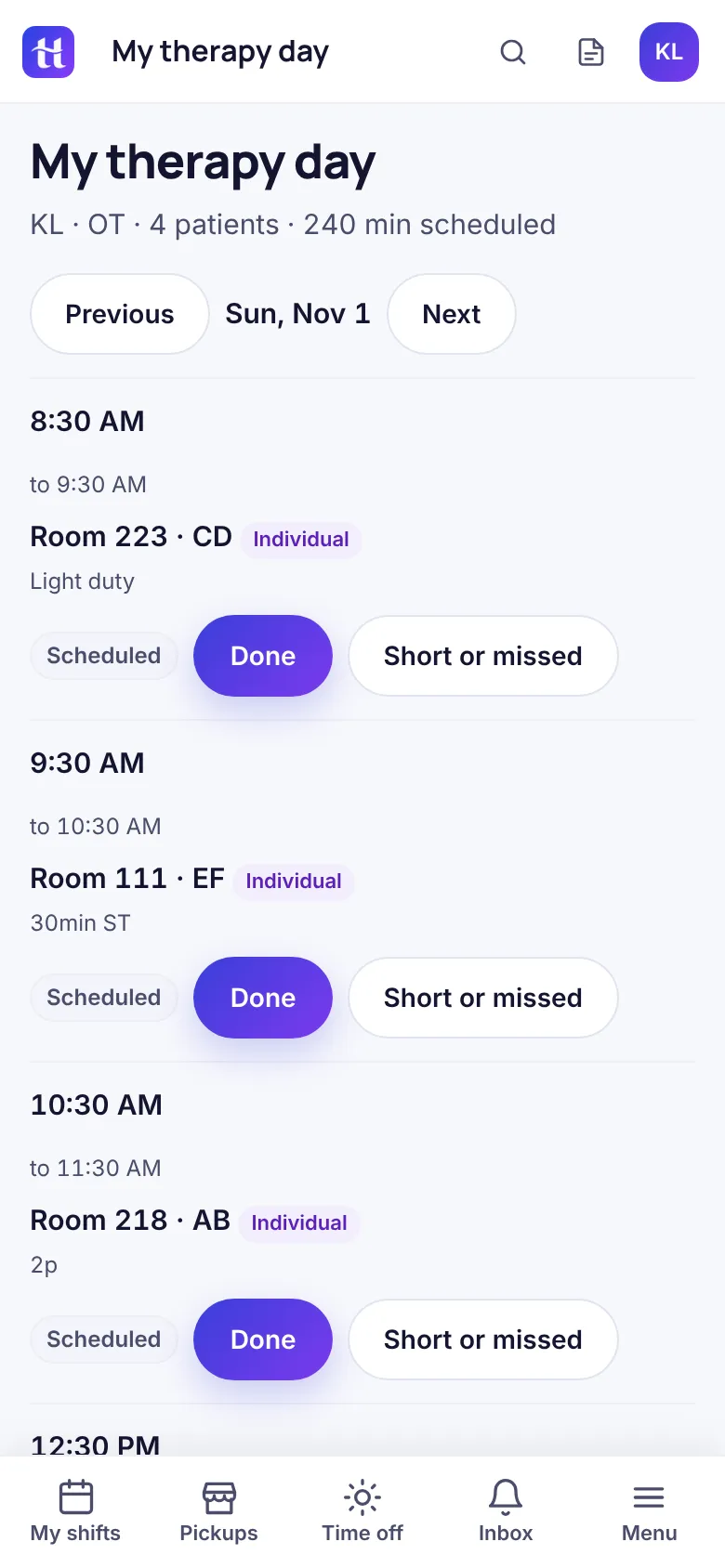
Your sessions in order. Tap Done after each one, or Short or missed with the minutes given and the reason. Counts update for the patient right away.
Medicare intensity
The intensity view flags, for every patient's program week, whether it meets the hospital's rule (15 hours over 7 days by default, or 3 hours a day on 5 days), whether each ordered therapy started within 36 hours of admission, and where the minutes came from. Everything is a flag; the medical record stays the source of truth.
Related
Screenshots come from a fictional demo hospital, so names and numbers will differ from yours. Something here out of date or unclear? Email support@attuneops.net.