Census and ratio
Enter census per shift, see licensed nurses needed on every floor, forecast admits and discharges, and sign the ratio compliance report.
- Published
- Updated
- Screenshots
How the ratio check works
| Step | Rule |
|---|---|
| Who counts | RNs and LVNs on the floor (home floor or floated in). Callouts are removed. A charge nurse who takes no patients is removed. CNAs and sitters do not count. |
| Census | The census entered for that shift, else the floor's planned census. Missing census warns but never blocks. |
| Needed | Census ÷ the floor's limit (1:5, or stricter), rounded up. |
| When | Publishing checks every floor shift it touches. Swaps, drops and coverage check only what they reduce. Callouts are never blocked. |
Floors set to block refuse a change that would leave them short; floors set to warn need a manager's reason, which is kept.
Now
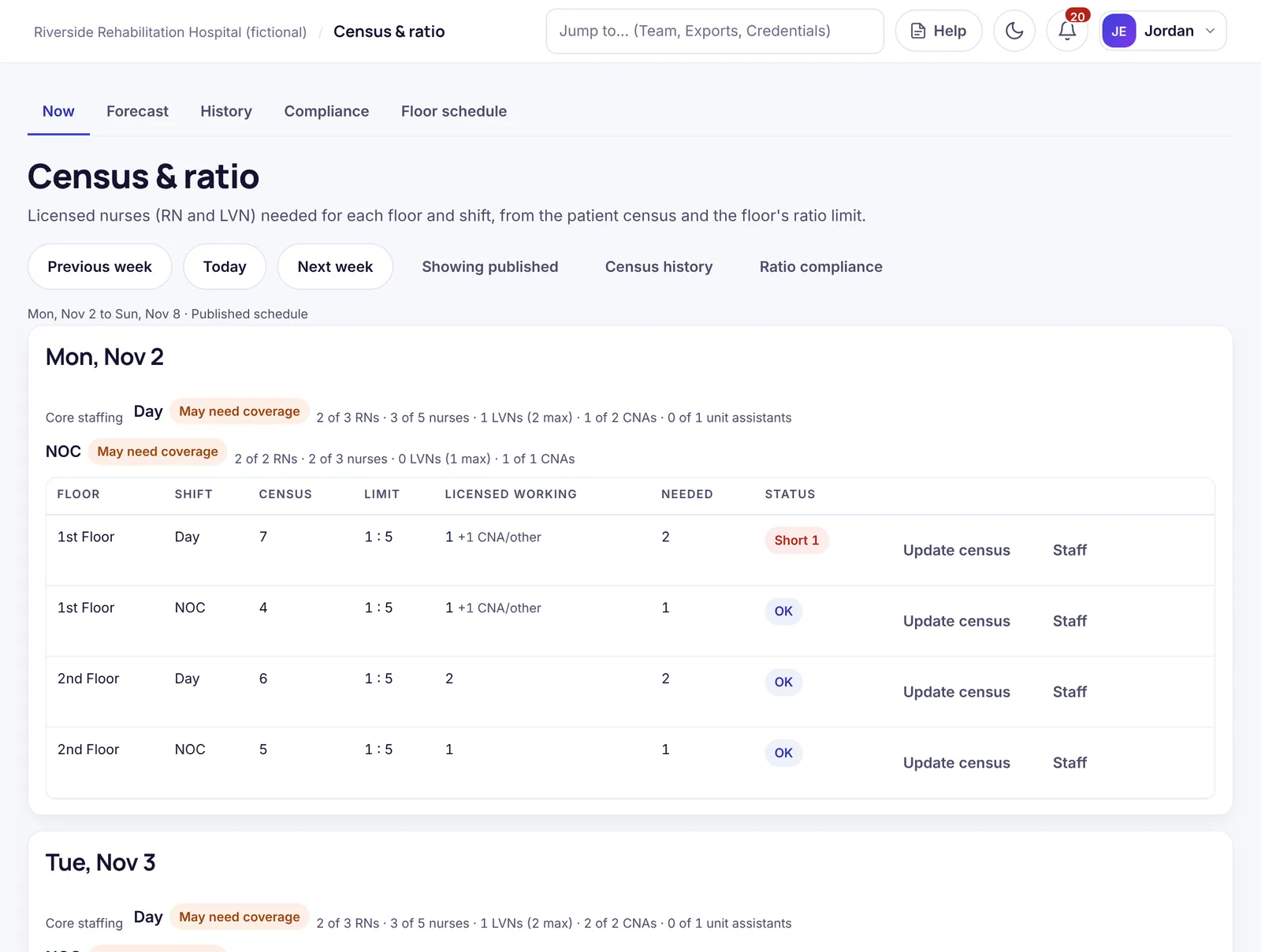
One row per floor and shift for the week: census, limit, licensed working, needed and status (OK or Short n). Update census enters or changes it. Core staffing for the hospital shows above each day.
Forecast: admits and discharges
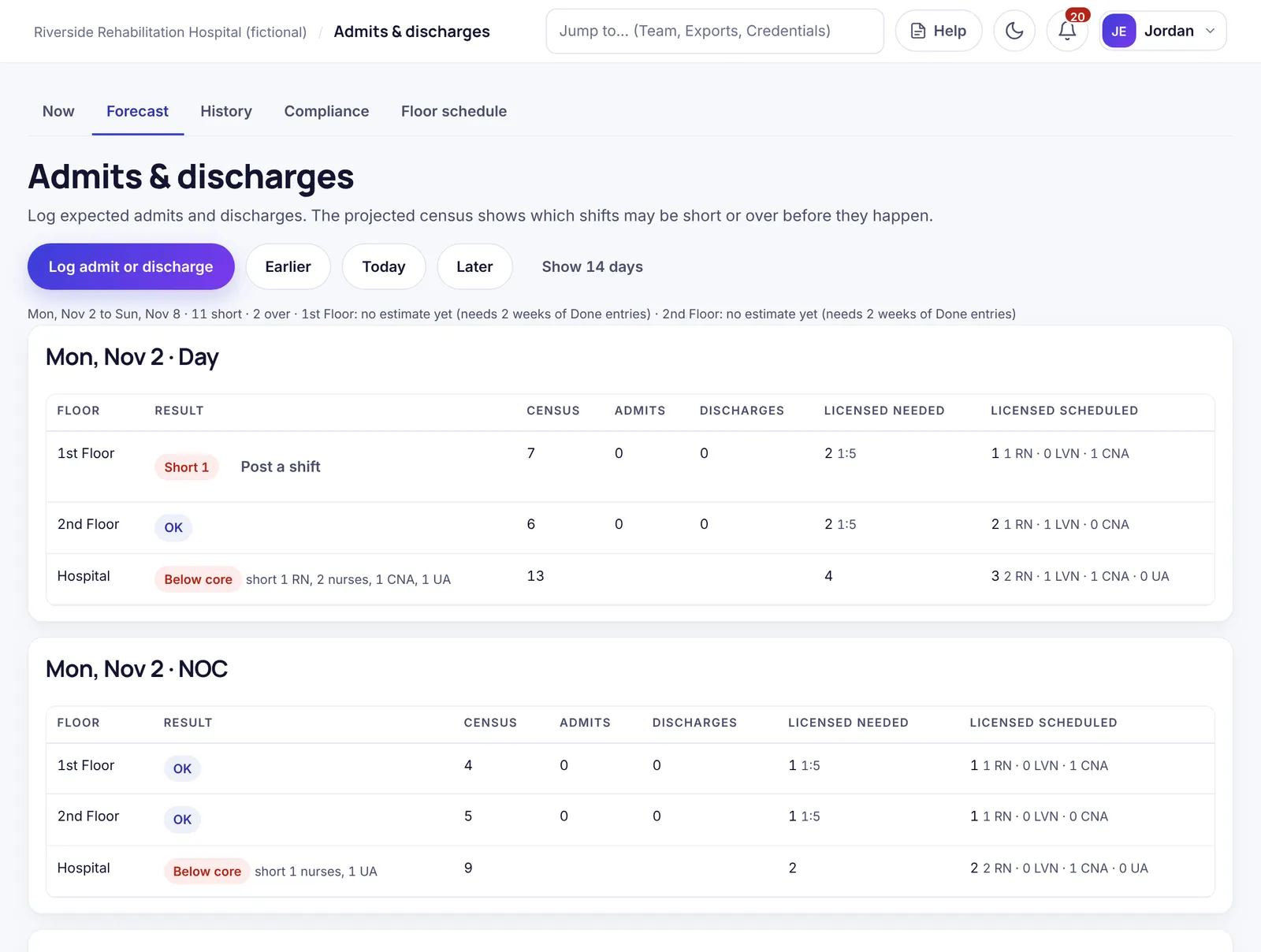
Log admit or discharge records expected movement. The projected census shows which shifts may be short or over before they happen; Post a shift fills a gap early.
Compliance report
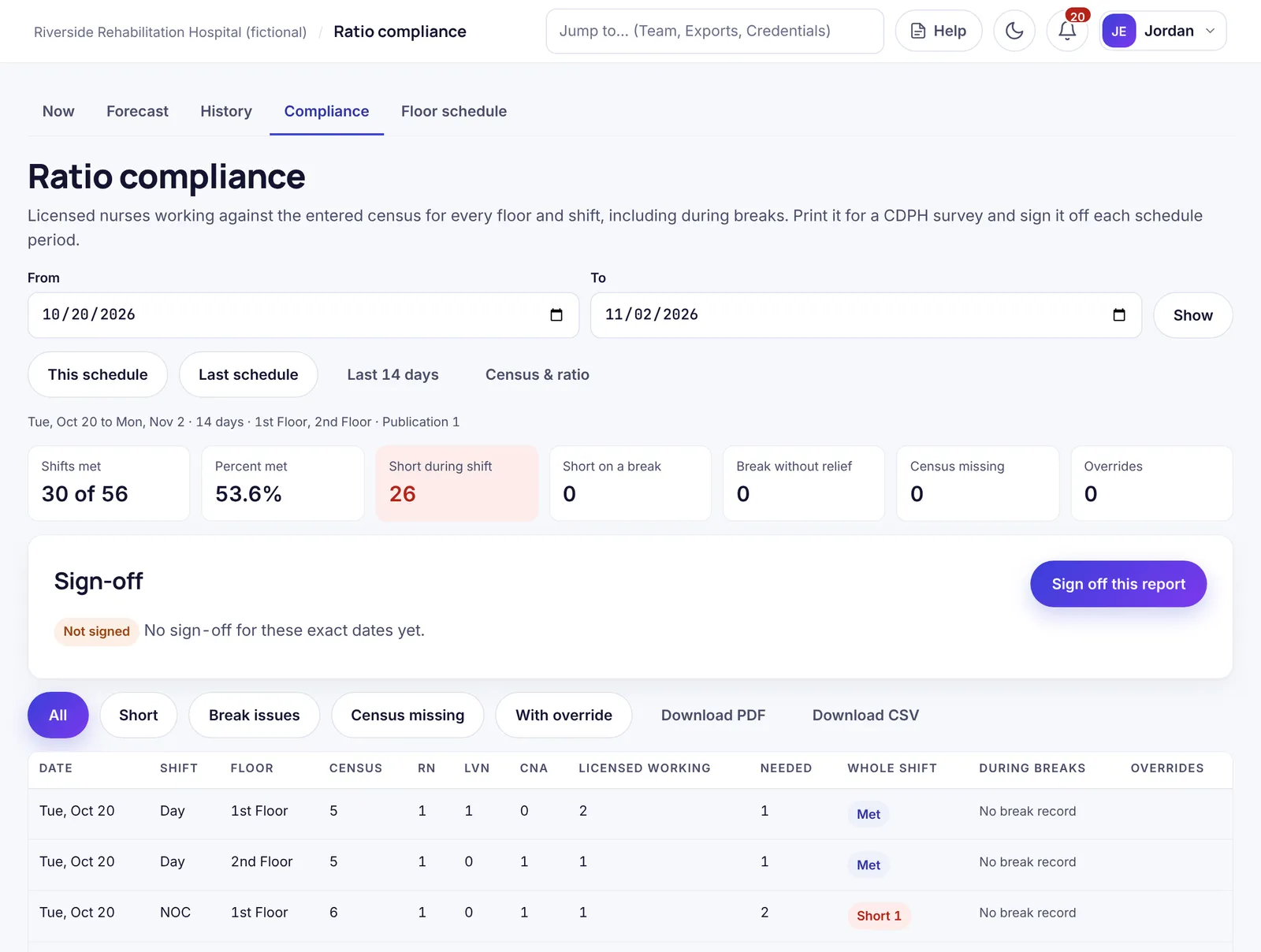
Pick the period
This schedule, Last schedule or Last 14 days.
Review
Filter Short, Break issues, Census missing, With override.
Sign
Sign off this report (Nursing Managers, Chief of Nursing Operations, admins). Download PDF for a CDPH survey binder.
Related
Screenshots come from a fictional demo hospital, so names and numbers will differ from yours. Something here out of date or unclear? Email support@attuneops.net.