Building the next schedule
Open request sheets, let staff ask for days off and preferences, generate versions by seniority or fairness, and apply one as a draft.
- Published
- Updated
- Screenshots
How a schedule period works
Schedules run in 4-week periods. Before each one, staff fill a request sheet. You generate versions from the sheets, pick one, adjust it as a draft and publish.
- Open the request window with a deadline.
- Staff mark up to 6 days off and the days they prefer, then sign.
- After the deadline, generate versions.
- Apply one version to the draft, fix gaps, publish.
Open the request window
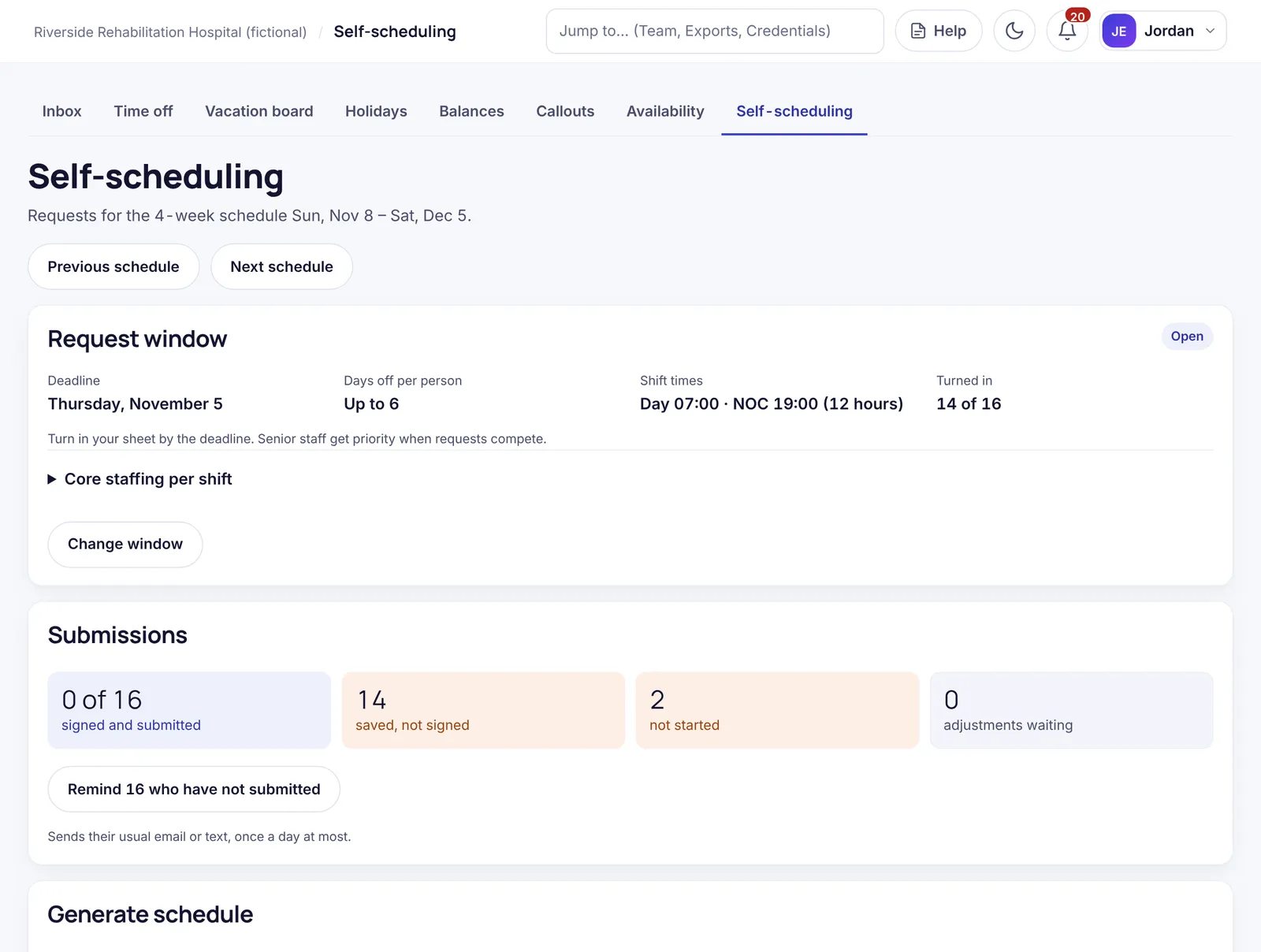
Open RequestsSelf-scheduling (menu path)
Choose the schedule period with Previous schedule / Next schedule.
Change window
Set the deadline, days off per person (default 6) and shift times, and open it. Staff are told.
Chase the stragglers
Remind sends one email or text a day to everyone who has not signed.
What staff do
On the phone, staff mark each day: X for a day they cannot work, 7A or 7P for a shift they would like. They sign with their typed name before the deadline. After the first signature, every change is a signed adjustment; after the deadline, adjustments wait for your decision.
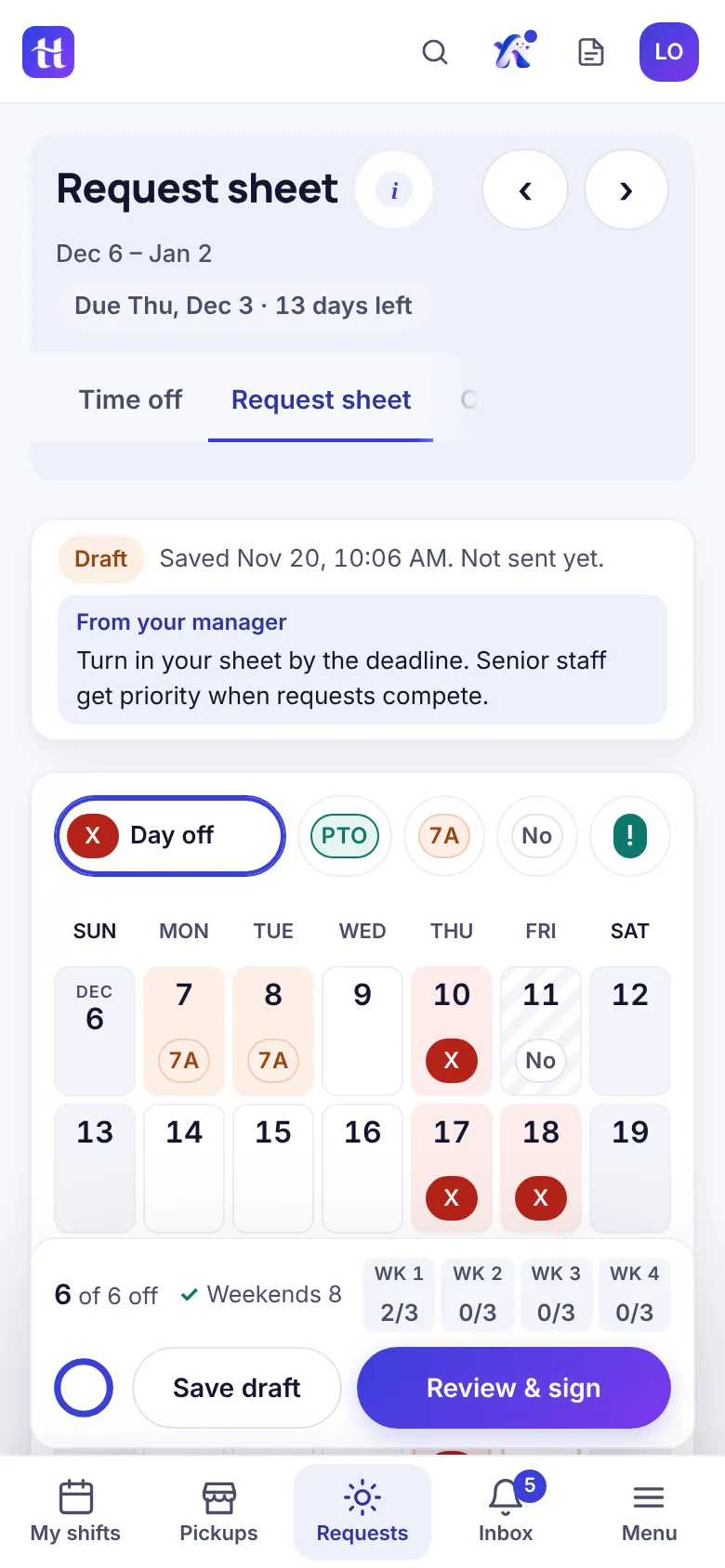
Seniority (hire date) decides conflicts. For holidays, the union rotation applies: an RN who had a holiday off last season goes after those who did not.
Generate versions
After the deadline press Generate schedule versions. Each version uses a different rule when day-off requests compete. Nothing is written until you apply one.
| Version | When requests compete |
|---|---|
| Seniority first (default) | The longest-serving nurse wins; shifts reach core staffing. |
| Most days off | Grants unless a shift would be more than one short; gaps become pickups. |
| Fair spread | Everyone's first request before anyone's second; seniority within each round. |
| Census grid | Staffs each shift to the census staffing grid. Whole-hospital windows only. |
Compare requests granted and declined, gaps and commitments, then Apply. The version lands on the draft; publishing sends each nurse one notice listing any declined days and who got them.
Commitments
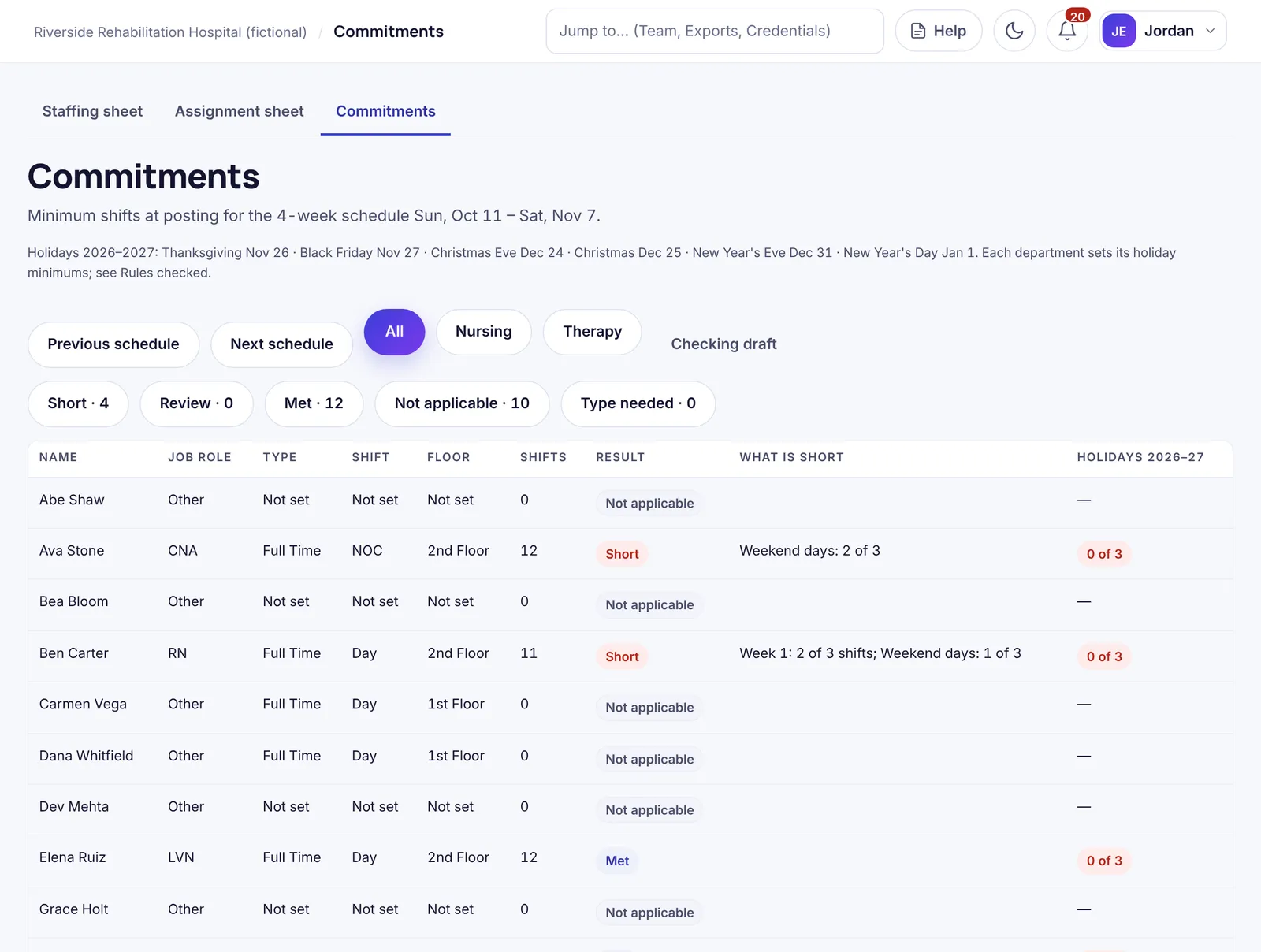
FloorsStaffing sheetCommitments (menu path) shows each RN, LVN and CNA against their commitment for the period: Full Time 3 shifts a week and 3 weekend days per period; Per Diem 4 shifts per period. Short nurses also appear on Reports.
Nursing planner
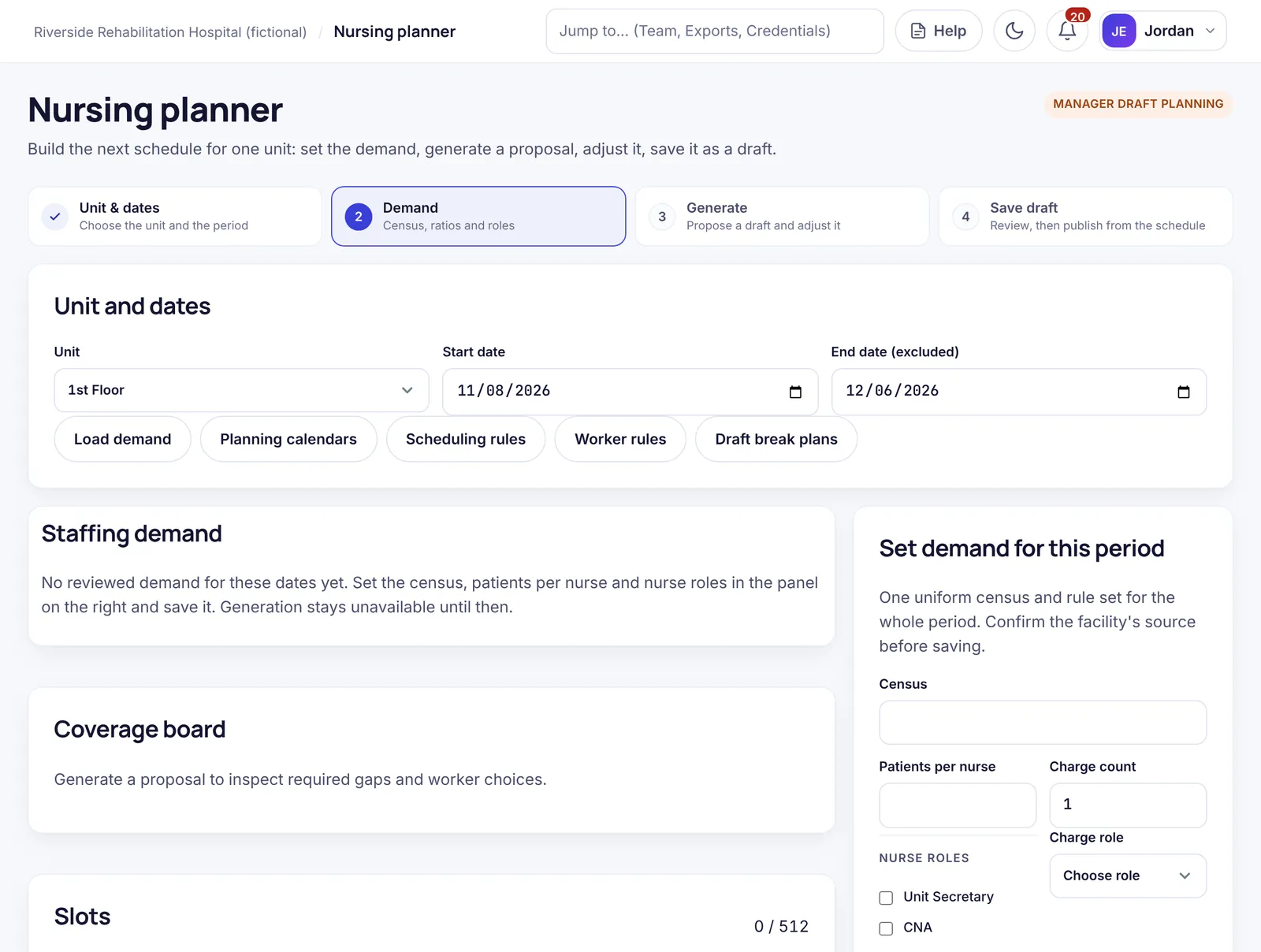
ScheduleNursing planner (menu path) builds a schedule for one unit from staffing demand instead of request sheets: set census and patients per nurse, generate a proposal, adjust slots and save it as a draft. Most hospitals use request sheets; the planner is for units that staff to demand.
Related
Screenshots come from a fictional demo hospital, so names and numbers will differ from yours. Something here out of date or unclear? Email support@attuneops.net.