Staffing reports
HPPD against budget, premium hours, callouts, open shifts filled, time off ahead, floats, sitters and attendance steps, with drill-downs and a weekly email.
For managers
- Published
- Updated
- Screenshots
Start with Needs action this week
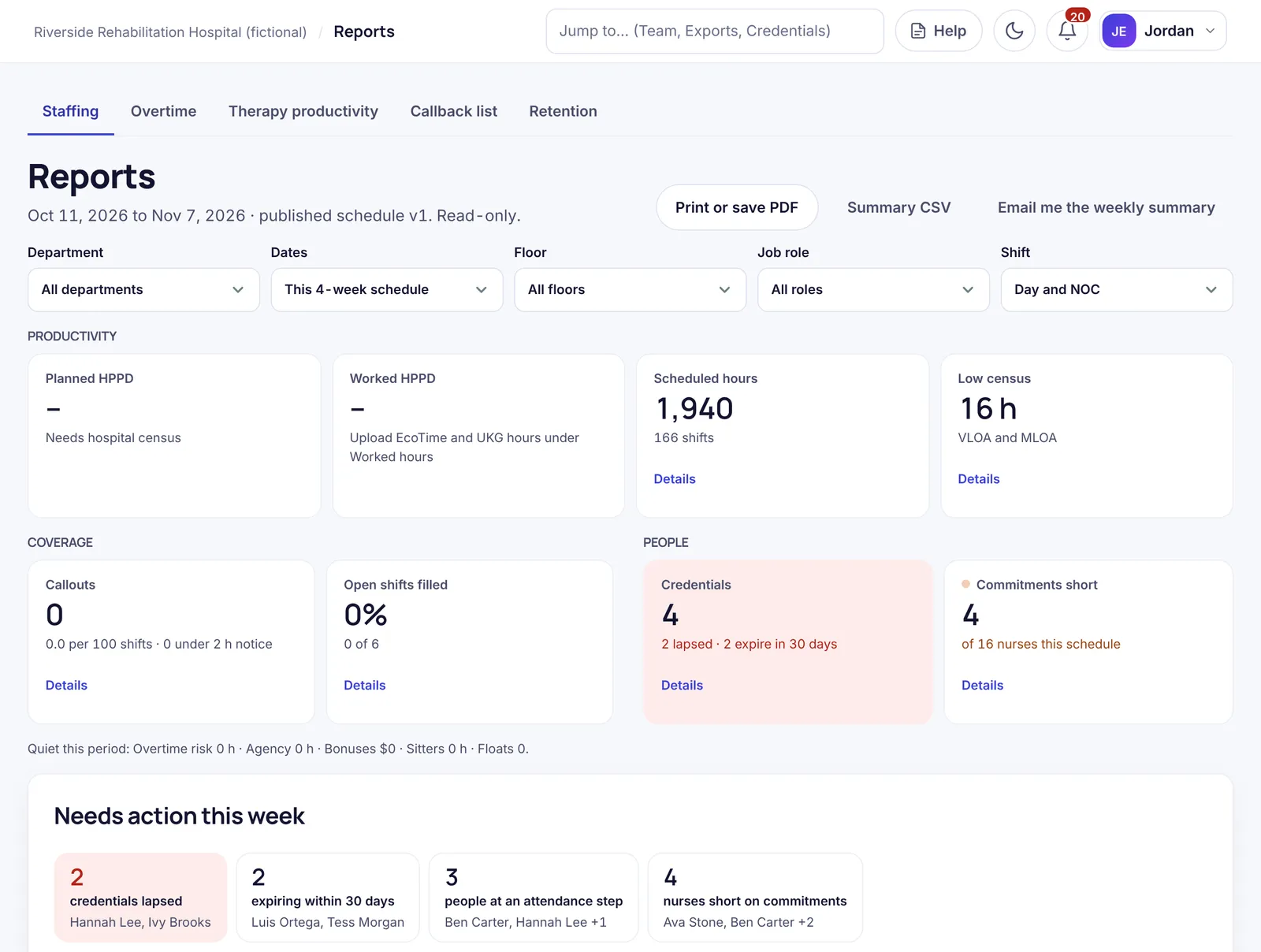
The top of ReportsStaffing reports (menu path) names the people behind each number: credentials lapsed or expiring, people at an attendance step, nurses short on commitments. Tap a number to see who and where.
The charts
| Chart | What it tells you |
|---|---|
| Planned HPPD against budget | Paid hours ÷ patient days per day, against the budget and red line from the staffing grid. Needs census for each shift. |
| Staffing grid over and under | Each shift against the census staffing grid |
| Premium hours by week | Overtime risk, agency hours, pickups and low-census hours |
| Callouts by week | Day and NOC callouts |
| Open shifts posted and filled | Posted, filled, median hours to fill, bonuses |
| Time off ahead | Approved time off and vacation, people-days per week for 8 weeks |
| Floats and 1:1 sitter hours by week | From the staffing sheet |
| Agency contracts ending | Travelers whose contract ends soon |
| Attendance steps | People at or within one point of a step |
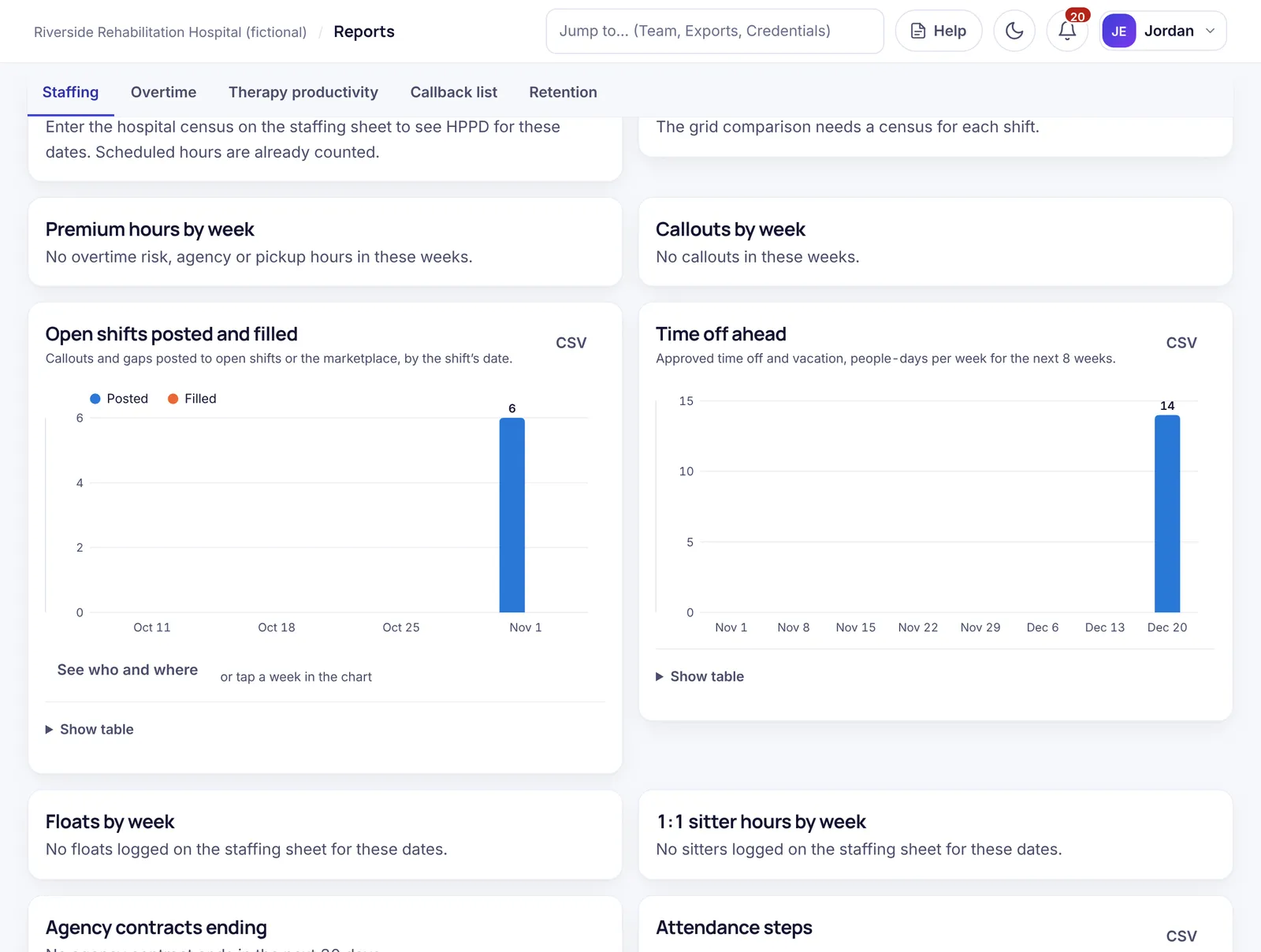
Every chart has CSV and See who and where for the people and shifts behind it. Filters for floor, role and shift apply to the whole page.
The other report tabs
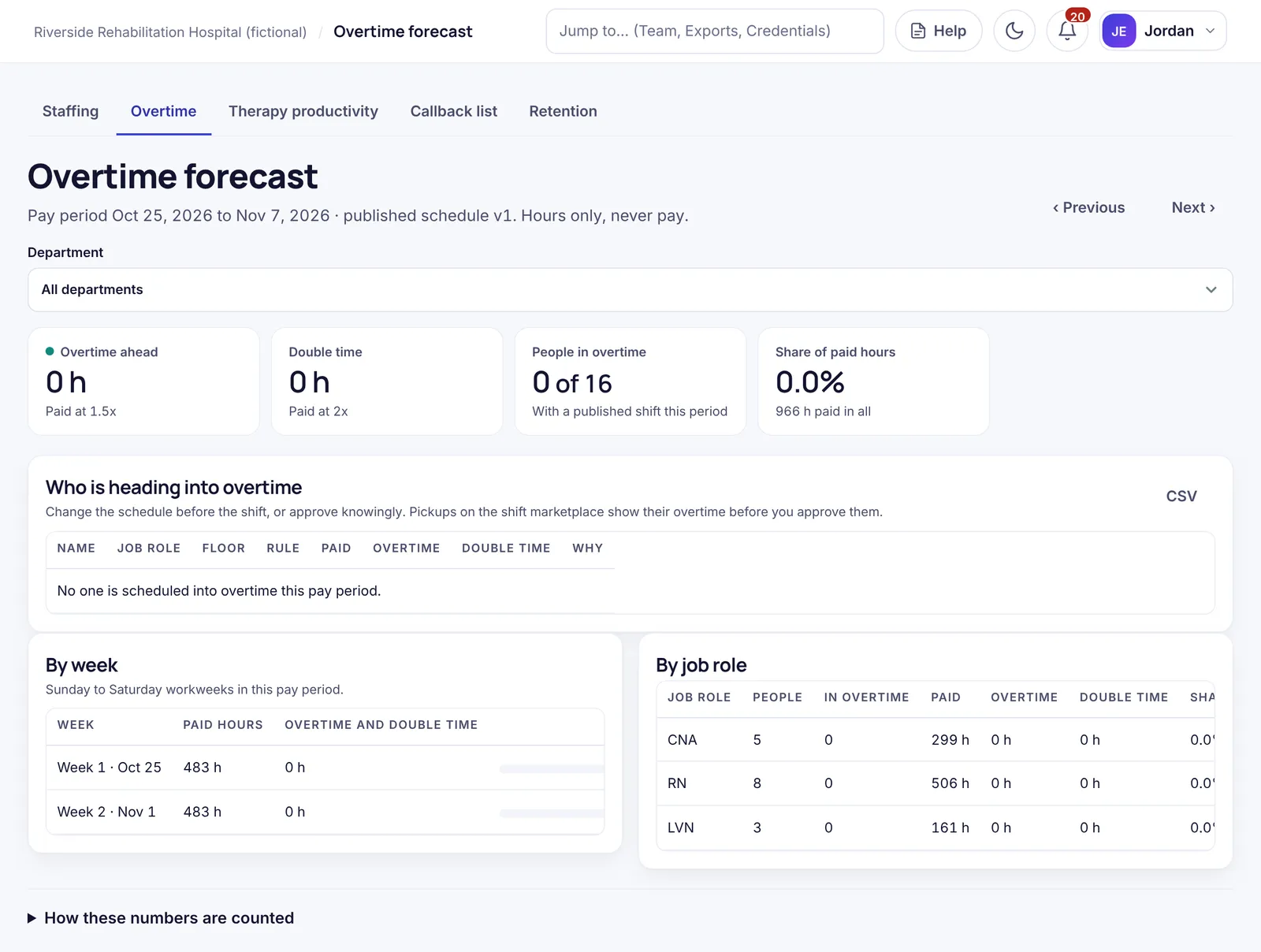
- Overtime: who is heading into overtime this week and why.
- Therapy productivity: minutes delivered per therapist.
- Callback list: who to call first for an open shift.
- Retention: turnover and the pulse survey's stay score.
Related
Uploads: worked hours, balances and censusBring in UKG and EcoTime worked hours and balances, enter census, and import the team and schedule, with a daily upkeep list and a pay-period checklist.Attendance and callout patternsHow callouts become points under the attendance policy, how sick time covers a callout, and how staff and managers see the record.Census and ratioEnter census per shift, see licensed nurses needed on every floor, forecast admits and discharges, and sign the ratio compliance report.
Screenshots come from a fictional demo hospital, so names and numbers will differ from yours. Something here out of date or unclear? Email support@attuneops.net.