Settings and workspace setup
Facilities, floors, ratios and core staffing; departments; plan and billing; the delivery and audit logs.
- Published
- Updated
- Screenshots
Settings at a glance
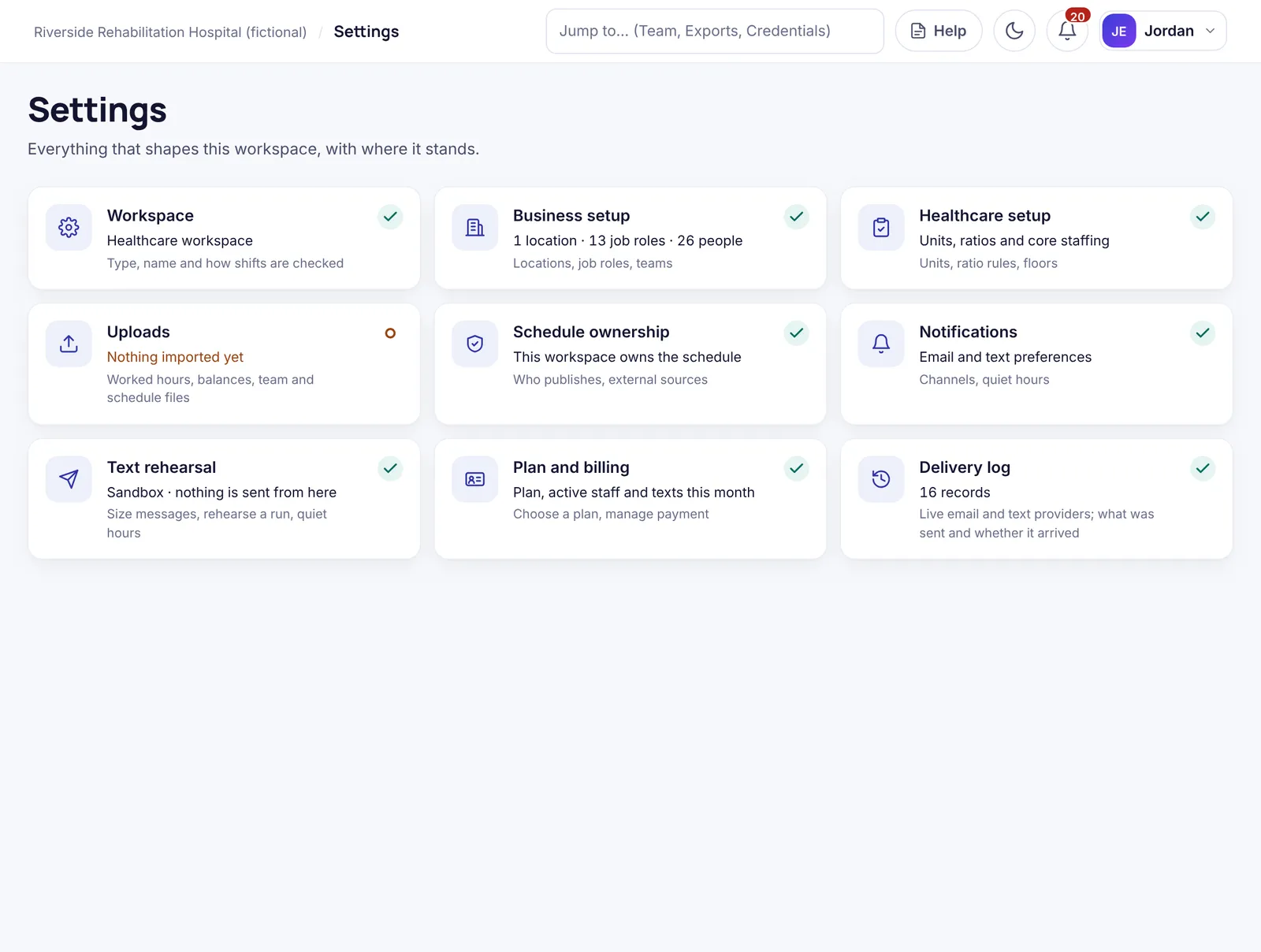
SettingsGeneral (menu path) shows each area with where it stands: workspace, business setup (locations, job roles, people), healthcare setup, uploads, schedule ownership, notifications, text rehearsal, plan and billing and the delivery log.
Healthcare setup
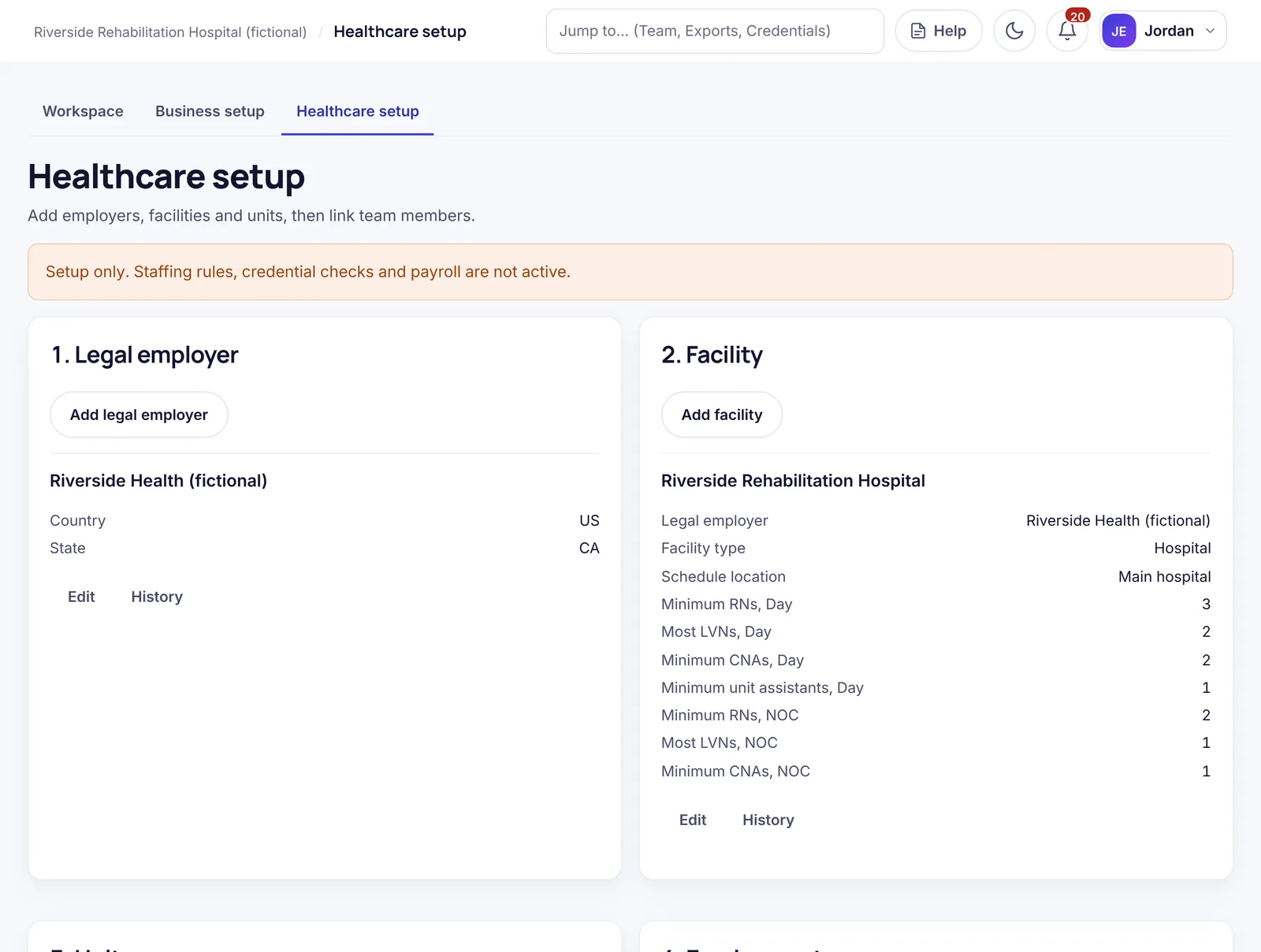
- Legal employer and Facility: name, type and core staffing per shift (minimum RNs, most LVNs, minimum CNAs and unit assistants).
- Staffing floor: the fewest and most staff each Day and NOC shift should have across all floors, with an optional RN goal and optional RN, at most and Nurses, at most. A shift that misses a number is flagged, never blocked. Schedules built for the whole hospital stay within RN, Nurses and LVN, at most, except where Full Time and agency staff keep their shifts or a shift needs RNs to reach its minimum, which the version lists for you to decide. Nurses, at most is never under RN, at least plus LVN, at most.
- Units (floors): ratio limit, block or warn, planned census, whether the charge nurse takes patients, and whether a home floor is required.
- Changes are versioned: History shows each version.
Departments
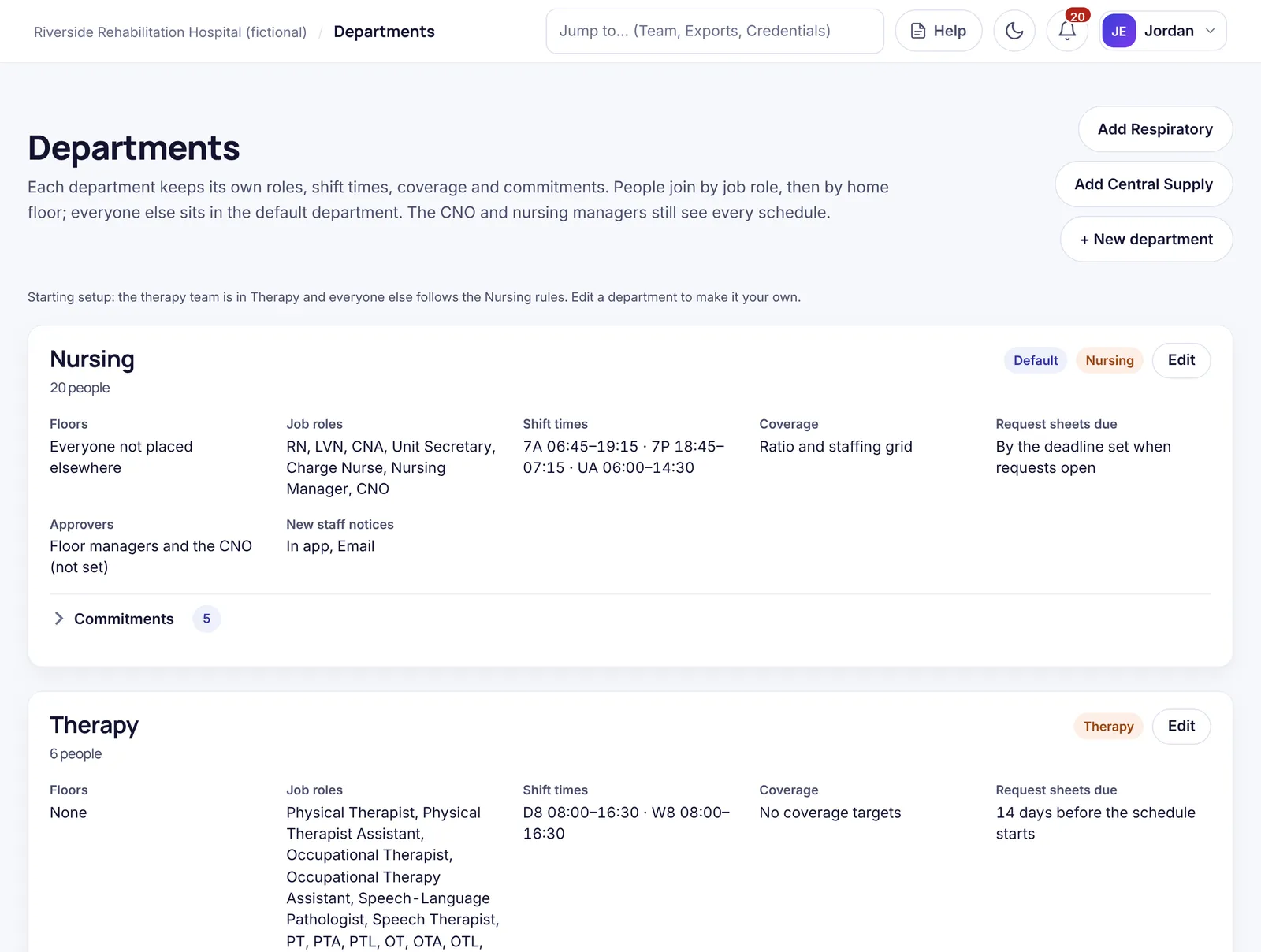
Each department (Nursing, Therapy, Respiratory, Central Supply…) keeps its own job roles, shift times, coverage model, commitments, holiday minimums and request-sheet deadline. People join by job role, then home floor. Nursing leadership can still see every schedule.
Plan, billing and logs
- SettingsPlan and billing (menu path): plans are priced per active staff member per month; staff never pay.
- SettingsDelivery log (menu path): every email and text sent and whether it arrived.
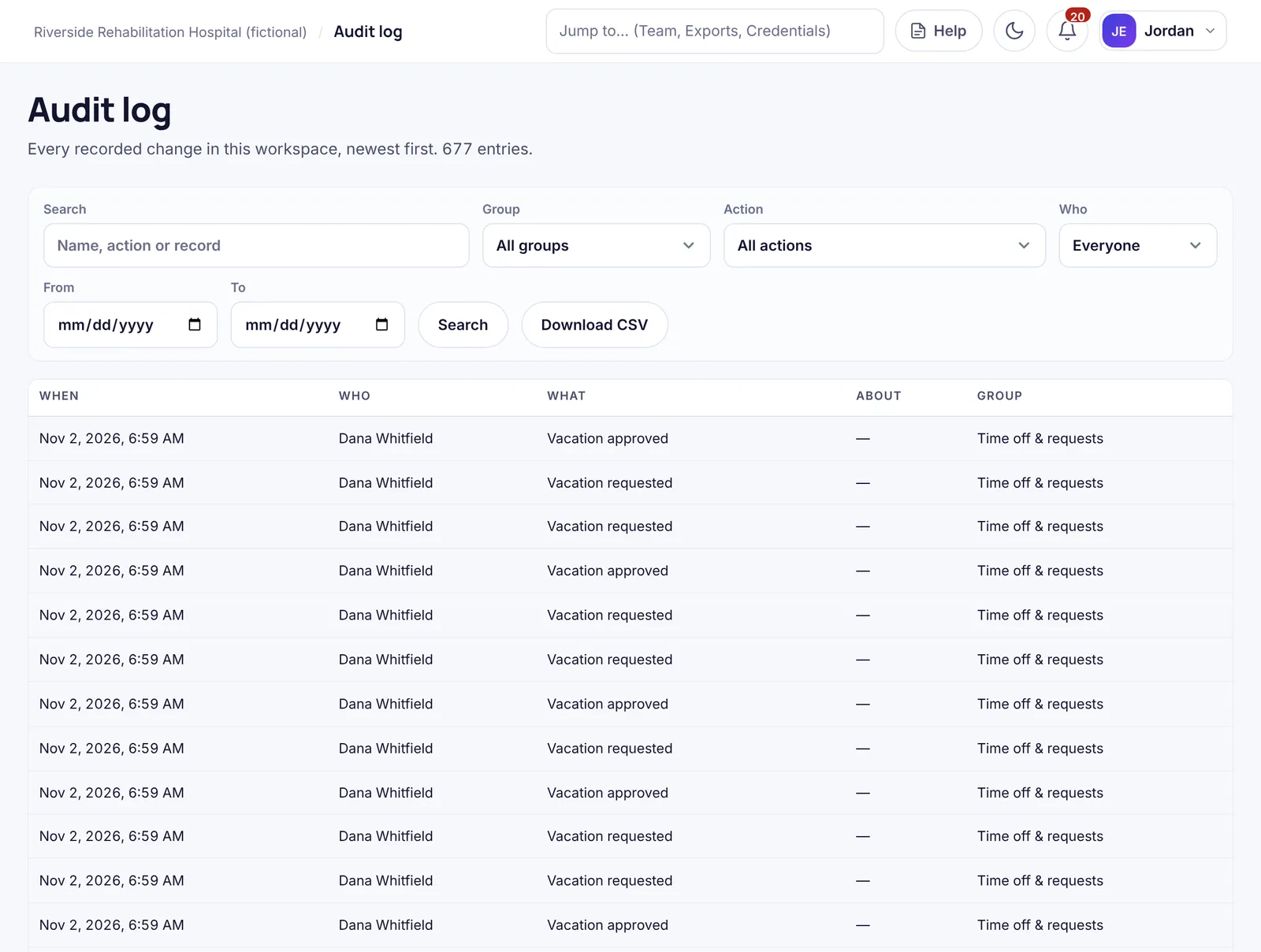
- SettingsAudit log (menu path): every recorded change, newest first, searchable, with Download CSV.
Related
Screenshots come from a fictional demo hospital, so names and numbers will differ from yours. Something here out of date or unclear? Email support@attuneops.net.