Open shifts and pickups
Post open shifts with bonuses, see what a pickup means for your pay, and how requests are ranked and approved.
- Published
- Updated
- Screenshots
For staff: pick up a shift
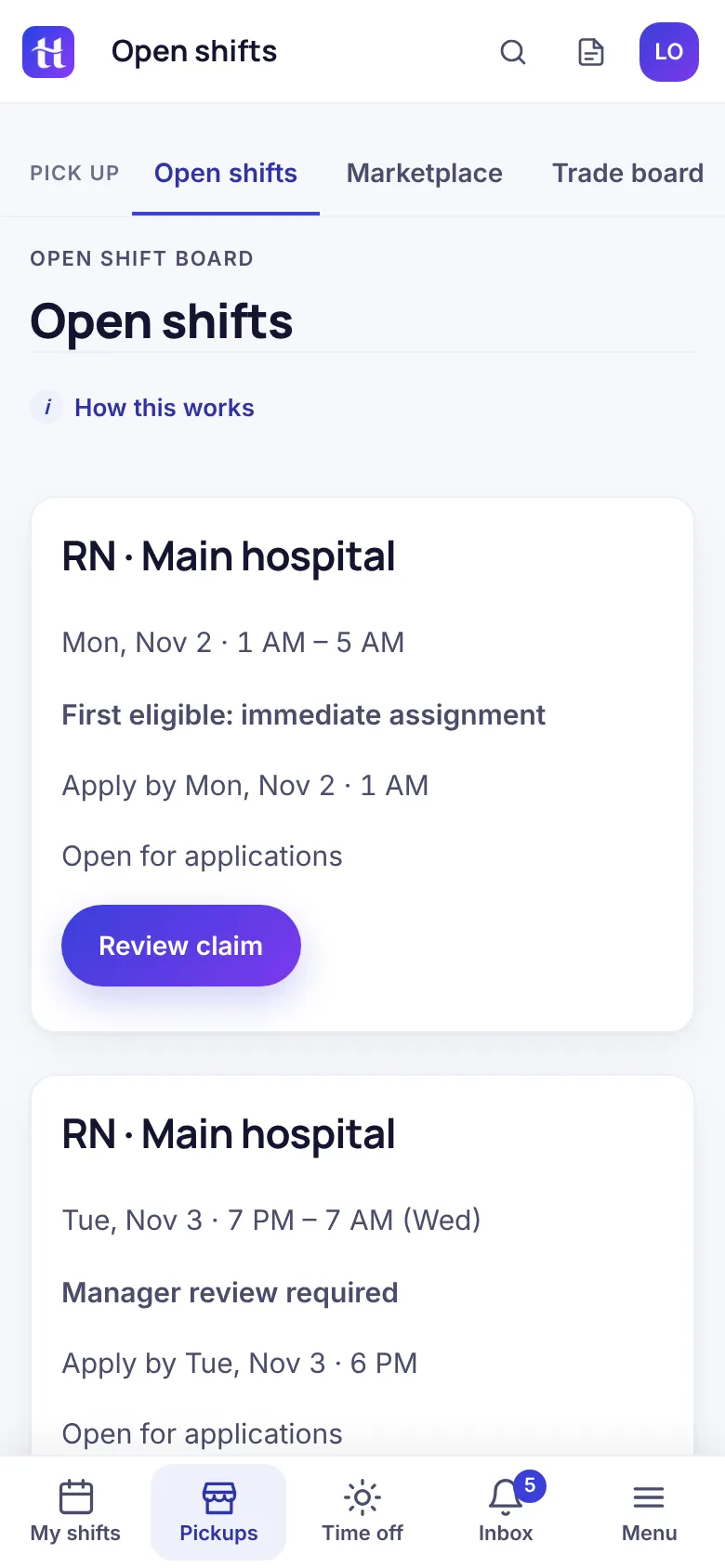
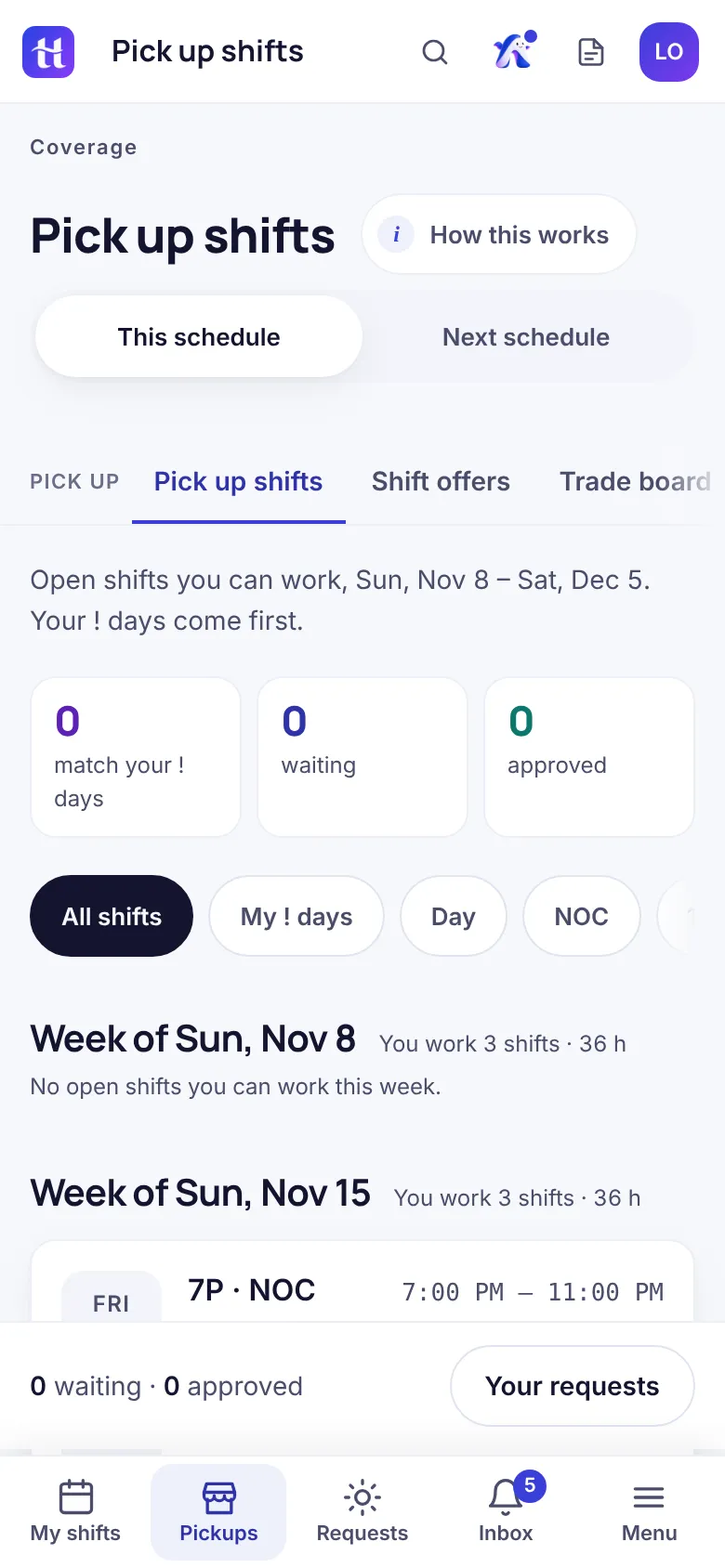
- Every shift you are allowed to work is listed with its date, shift, floor and your pay tag: regular, extra or overtime for you, plus any bonus.
- Tap a shift to ask for it. Same-day shifts posted by the charge nurse are yours right away if you are first; future shifts wait for a manager.
- Long days, long weeks and long runs show a warning but never stop you.
For managers: post an open shift
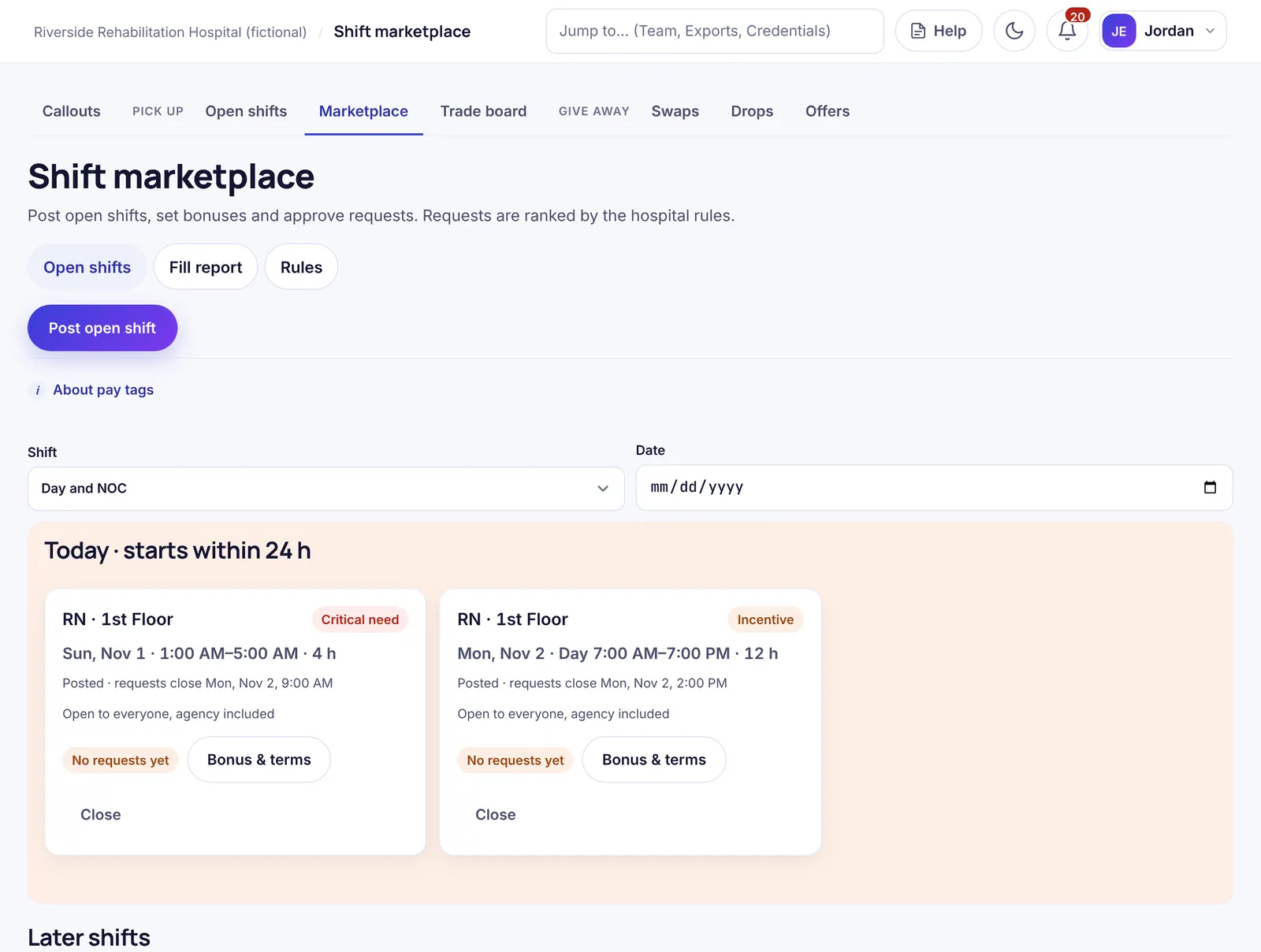
Press Post open shift
Choose date, Day or NOC, floor, job role and whether agency can fill it.
Add a bonus if you need to
No bonuses on RN shifts (union contract). Up to $100 on a CNA shift and $200 on an LVN shift shows to staff right away; more needs a Nursing Manager or the Chief of Nursing Operations.
Approve a request
Requests are ranked: no overtime first, then fewest pickups this period, then seniority, then first to ask. Approving publishes the shift to that person.
If nobody takes it, the shift escalates on its own: staff first, then people who would go into overtime, then agency.
Who can pick up what
| Shift | Who can pick it up |
|---|---|
| RN | RNs |
| LVN | LVNs and RNs |
| CNA | CNAs |
A lapsed license, approved time off, an overlapping shift or a leave of absence blocks a pickup. Ratio is checked on the floor.
Related
Screenshots come from a fictional demo hospital, so names and numbers will differ from yours. Something here out of date or unclear? Email support@attuneops.net.