Text message program
Effective October 31, 2026 · Miyo LLC
AttuneOps is a product of Miyo LLC. This page explains the AttuneOps scheduling alerts text message program: what is sent, how people agree to it and how they stop it.
1. What the messages are
AttuneOps scheduling alerts are transactional text messages about a person's own work schedule, sent by Miyo LLC on behalf of their workplace. Examples:
- AttuneOps: Open shift offered to you: Sat Nov 8 7am–7pm on 2nd floor. Accept or decline: https://www.attuneops.net/app?page=offers
- AttuneOps: A callout was recorded for Fri Nov 7 7pm–7am. Review coverage: https://www.attuneops.net/app?page=absences
No marketing or promotional messages are sent.
2. How people opt in
Texts are off by default. Enrollment happens inside the AttuneOps web app, which is only available to signed-in staff of a workplace that uses AttuneOps. Each person opts in for themselves:
- Sign in to AttuneOps at www.attuneops.net/app with the account their workplace invited them to create.
- Open Notifications and scroll to How you get notified, then to Text messages.
- Enter their own mobile number.
- Read the consent statement and check Text me at this number. The box is unchecked until they check it.
- Press Save settings. Texts start only after this save. Entering a number without checking the box does not turn texts on.
The wording, its version, the time and the person who agreed are stored with each opt-in and each opt-out.
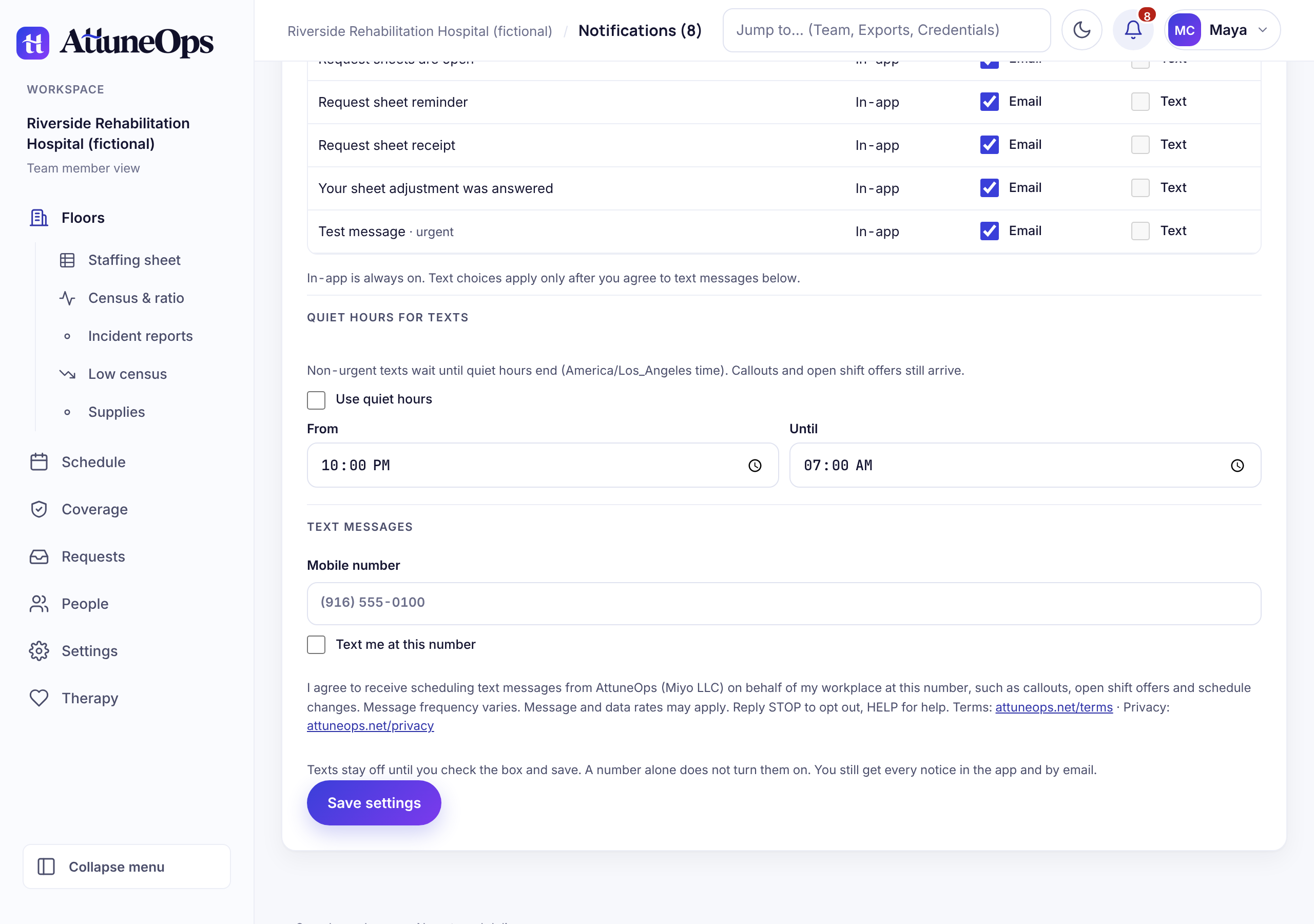
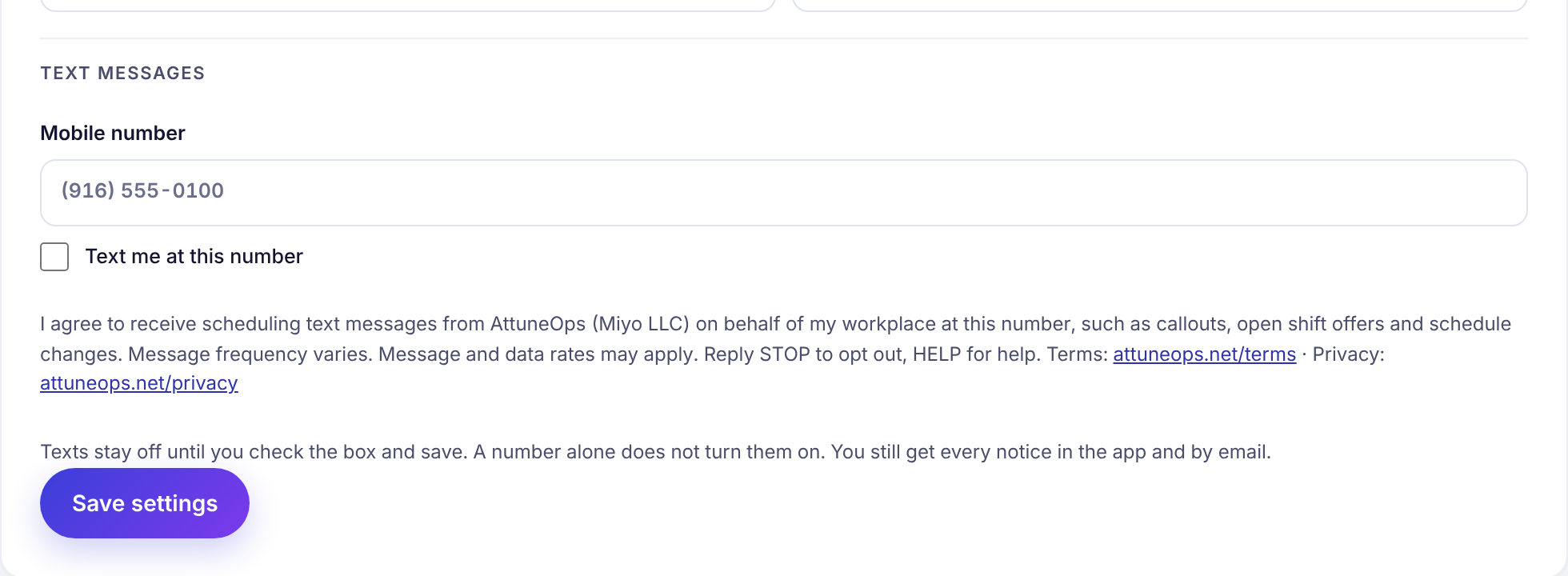
The consent statement shown next to the box reads, word for word:
I agree to receive scheduling text messages from AttuneOps (Miyo LLC) on behalf of my workplace at this number, such as callouts, open shift offers and schedule changes. Message frequency varies. Message and data rates may apply. Reply STOP to opt out, HELP for help. Terms: attuneops.net/terms · Privacy: attuneops.net/privacy
Consent is not a condition of employment. Staff who do not opt in still get the same notifications in the app and by email.
3. How to opt out or get help
- Reply STOP to any message. One confirmation is sent and then no more texts.
- Reply HELP for help, or email support@attuneops.net.
- Or uncheck “Text me at this number” under Notifications in the app.
- Message frequency varies. Message and data rates may apply.
4. Privacy
No mobile information will be shared with third parties or affiliates for marketing or promotional purposes. Read the privacy policy and SMS terms.

The workforce operations platform for healthcare
Designed for the moments between a schedule and a paycheck.