
Send in your license card
For staff · 2 minute read · Checked
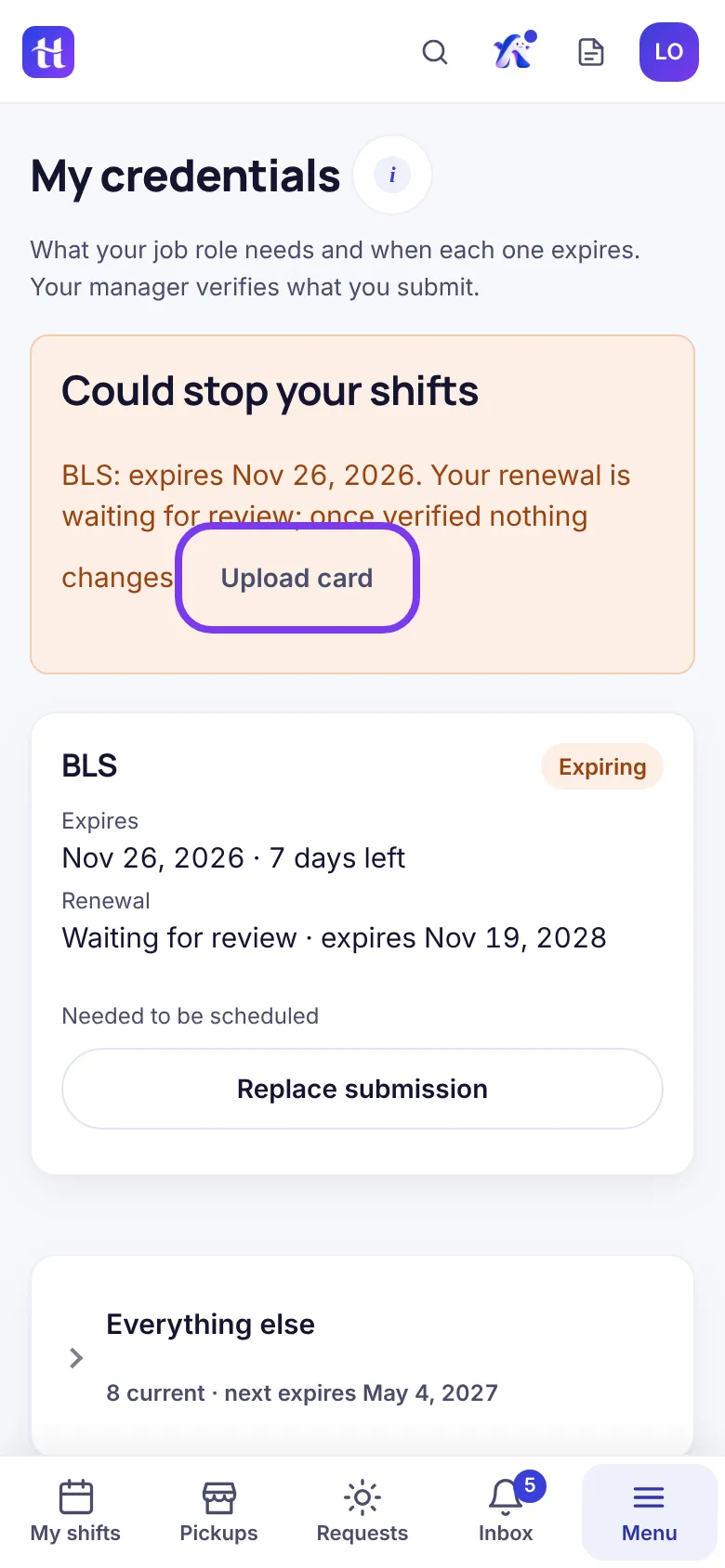
Your license and other cards live on My credentials. When one is missing or about to expire, enter the new dates and add a photo from your phone. No scanner and no trip to the office.
Send a card
- Tap Menu, then My credentialsMenu is the last button at the bottom of your phone.
- Tap Upload cardIt is on the card that is missing or about to expire.
- Enter the two datesIssue or completion date and Expiration date, as printed on your card. Both are needed.
- Add a photo of the cardTake one with your phone or choose one you have. A small preview shows so you can check it is clear.
- Tap SubmitIt goes to your manager to check.
After you send it
The card shows Waiting for review until your manager checks it. Nothing changes for your shifts while it waits.
Good to knowAn expired RN license, LVN license or CNA certificate can stop you being scheduled. Send the new card as soon as you have it.
Open My credentials
Stuck? Ask your charge nurse. In AttuneOps, Report a problem is at the bottom of every page.