
Pick up an extra shift in three taps
For staff · 2 minute read · Checked
Want more hours? Open shifts are posted the moment a manager needs someone. You see only the ones you can work, and you take one from your phone.
No phone calls and no sign-up sheet at the desk.
Request a shift
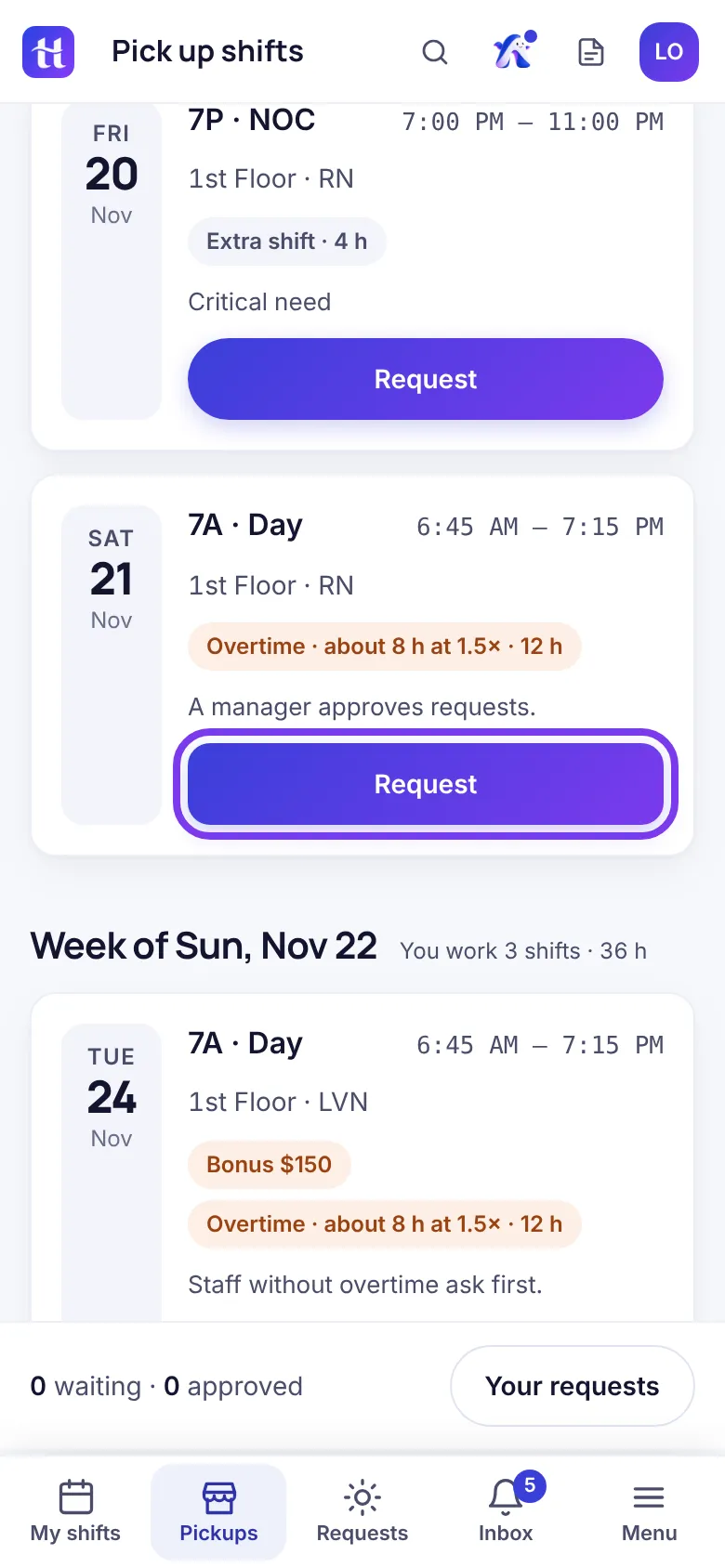
- Tap PickupsIt is the second button at the bottom of your phone.
- Pick the scheduleThis schedule or Next schedule. Days you marked ! on your request sheet come first.
- Tap Request on a shift you can workSome shifts wait for a manager. Others go straight on your schedule the moment you tap, so only tap one you can work.
Two kinds of open shift
Some shifts wait for a manager. Yours shows Requested until a manager answers, and you can cancel it until then.
Others go to the first person who asks. Tap Request on one and it shows Approved at once and is on your schedule. The card does not always tell you which kind it is.
Good to knowTreat every Request as a yes. A shift that goes straight on your schedule cannot be cancelled from this page: call the charge nurse if you tapped by mistake.
Stuck? Ask your charge nurse. In AttuneOps, Report a problem is at the bottom of every page.