
Ask for a day off
For staff · 2 minute read · Checked
Need a day that is already on the posted schedule, or one coming up soon? Send a time-off request. Your manager answers it, and you can see where it stands at any time.
Send a request
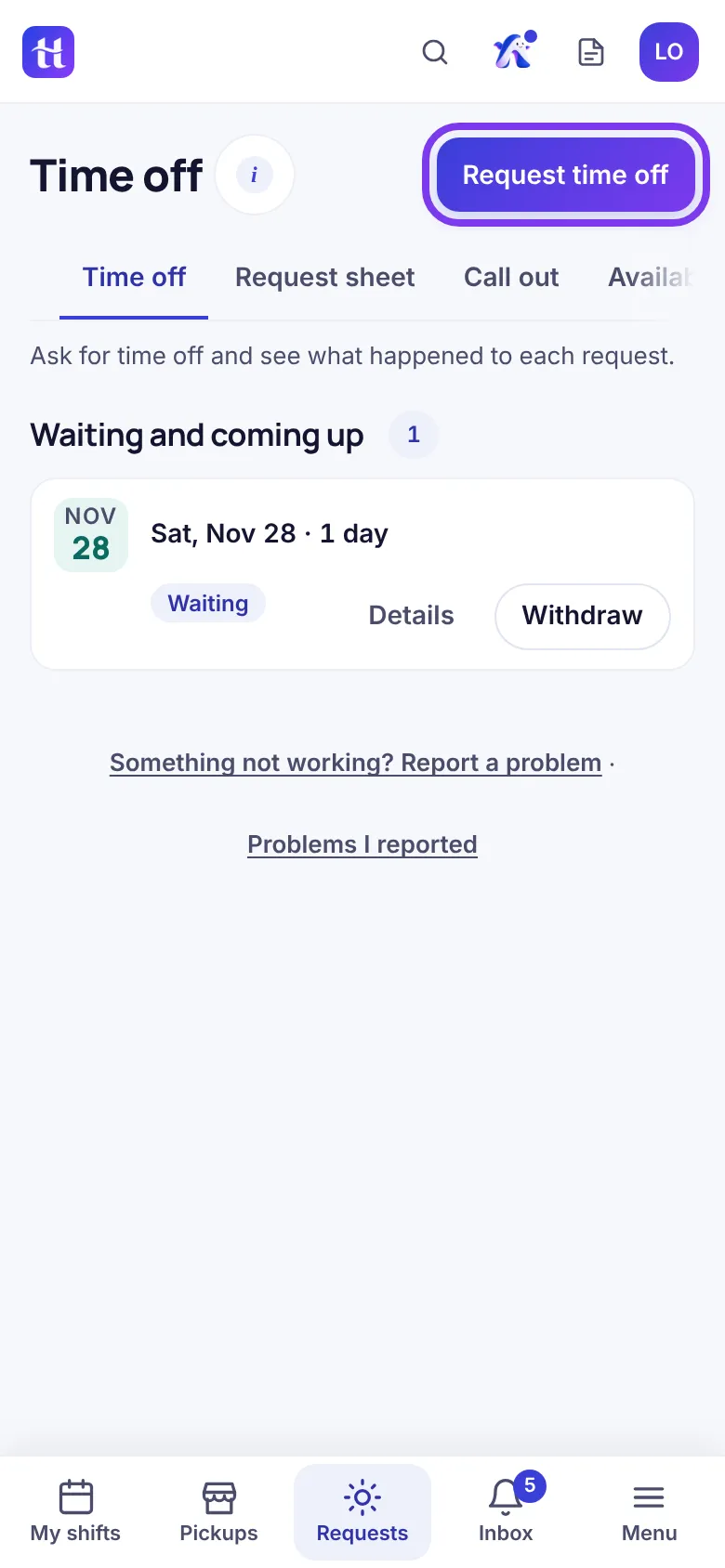
- Tap Requests, then Time offRequests is the third button at the bottom of your phone.
- Tap Request time offChoose what kind it is and the days you need.
- Tap Next, then Send requestIt shows under Waiting and coming up until your manager answers.
While you wait
A waiting request has Details and Withdraw. When your manager answers, it moves to New answers the next time you open the page.
Good to knowAn approved day off does not move a posted shift by itself. Your manager finds cover first.
Open Time off
Stuck? Ask your charge nurse. In AttuneOps, Report a problem is at the bottom of every page.